UtilityKit Knowledge Base
Practical tutorials, document privacy workflows, and guides to help you complete everyday tasks faster and safer.
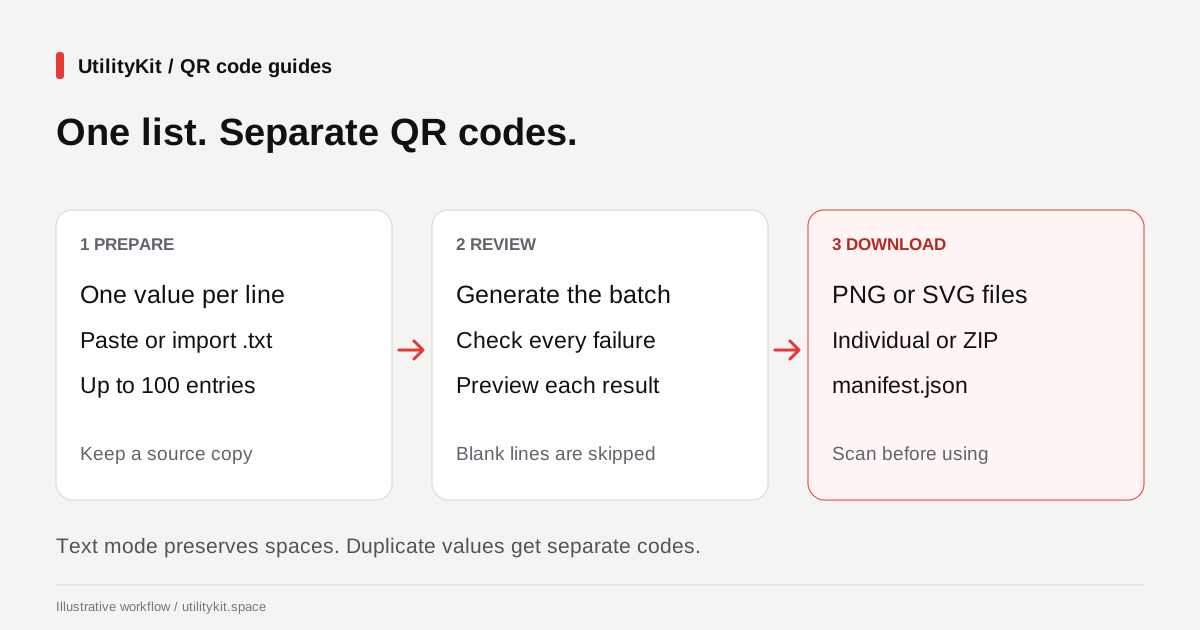
Create Bulk QR Codes Free from a List of URLs or Text
Turn a pasted list or text file into up to 100 QR codes free, without an account. Review failed entries and download PNG or SVG files together in a ZIP.
Latest Articles & Tutorials
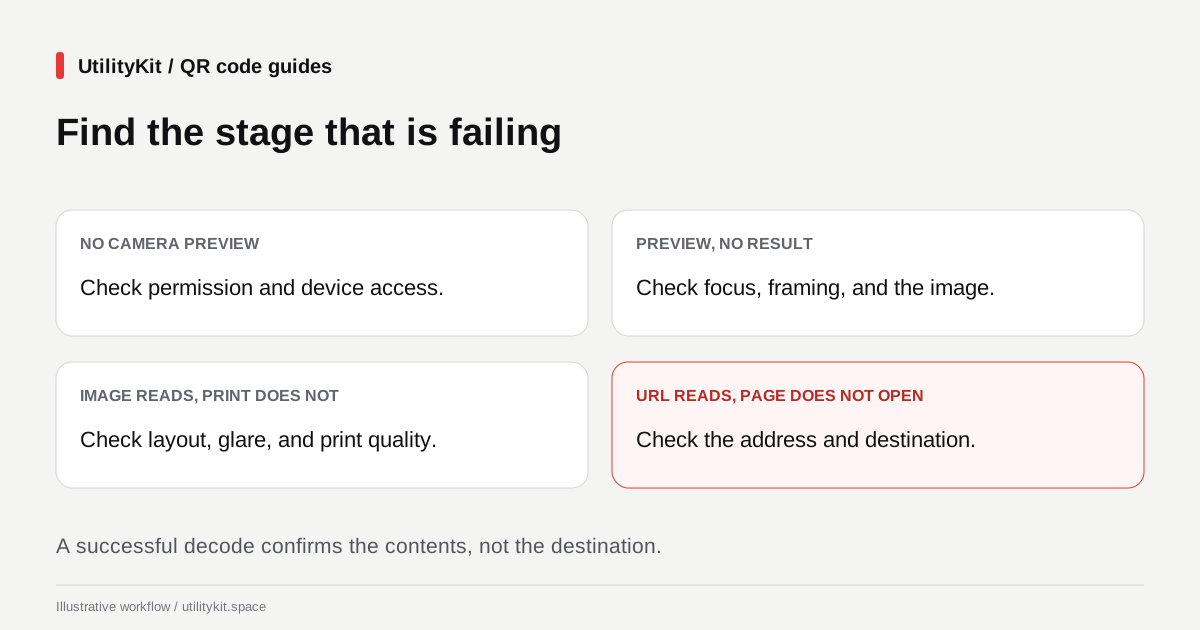
QR Code Not Scanning? Find the Cause and Fix It
Troubleshoot unreadable QR codes by checking the original image, crop, contrast, camera access, and printed proof. Separate decoding failures from broken links.
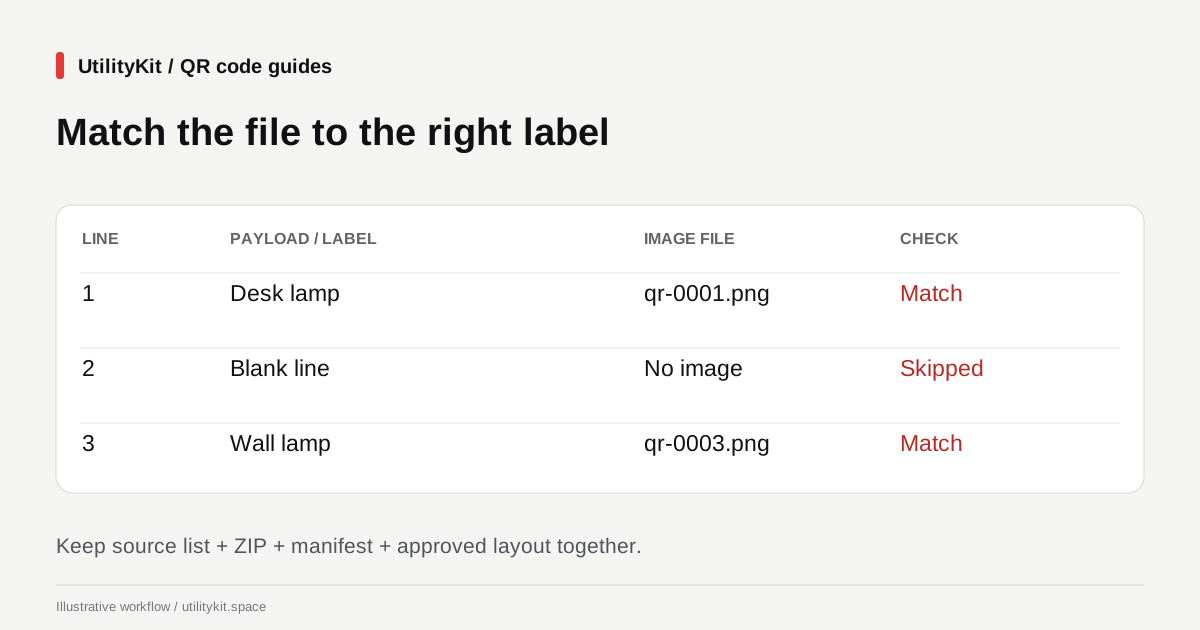
Organize Bulk QR Code Downloads for Product Labels
Match bulk QR filenames to the right products using the ZIP manifest, choose PNG or SVG, and check a printed proof before producing a full label batch.
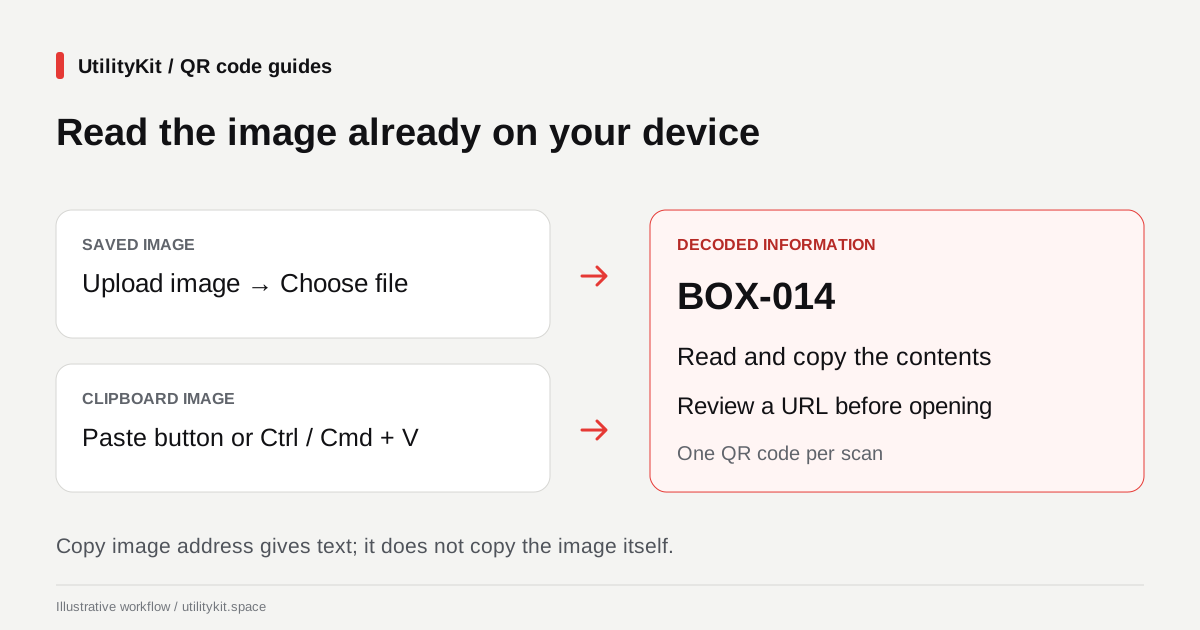
Scan a QR Code from a Screenshot or Pasted Image
Read a QR code already on your device by uploading a screenshot or pasting an image. Copy decoded text and inspect links without using a second camera.
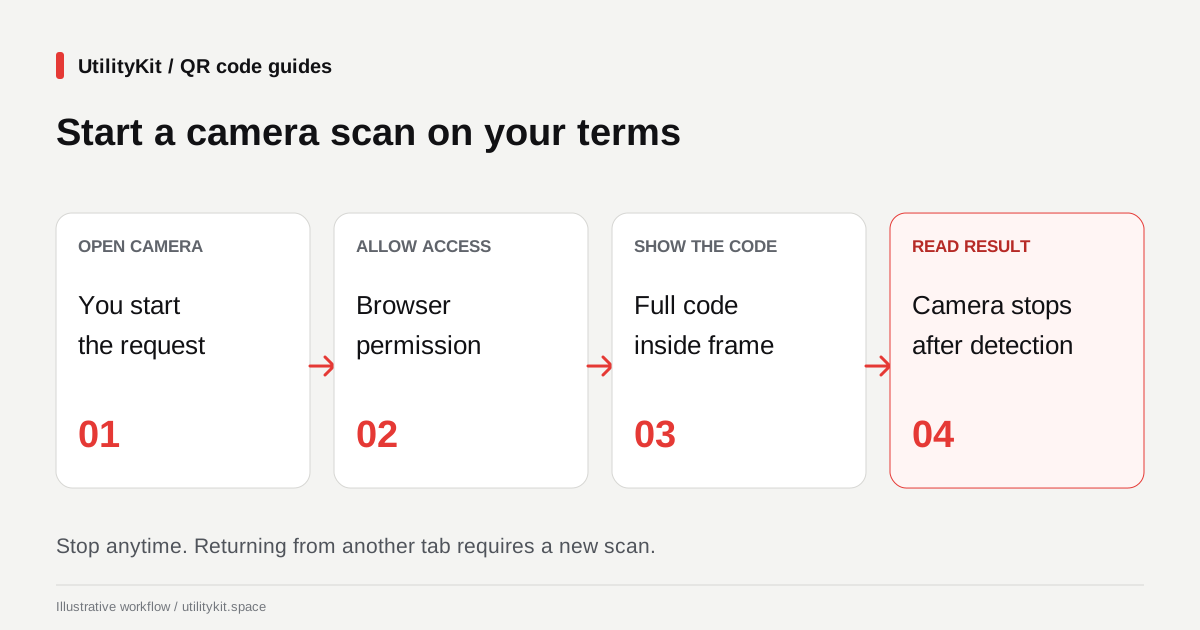
Scan QR Codes with Your Camera in a Web Browser
Open the browser camera, read a printed QR code, and review its contents. Learn how to handle camera permissions, stop scanning, and use an image fallback.
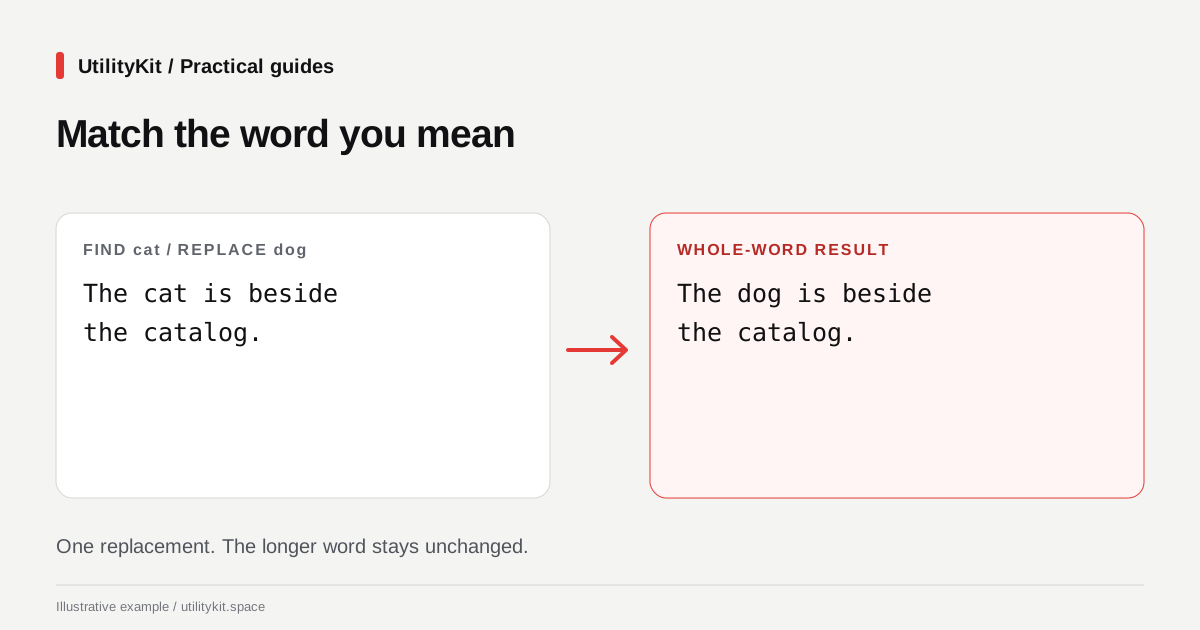
Free Find and Replace with a Preview You Can Check
Replace text free in your browser, without an account. Review a separate output and replacement count before applying changes to your original draft.
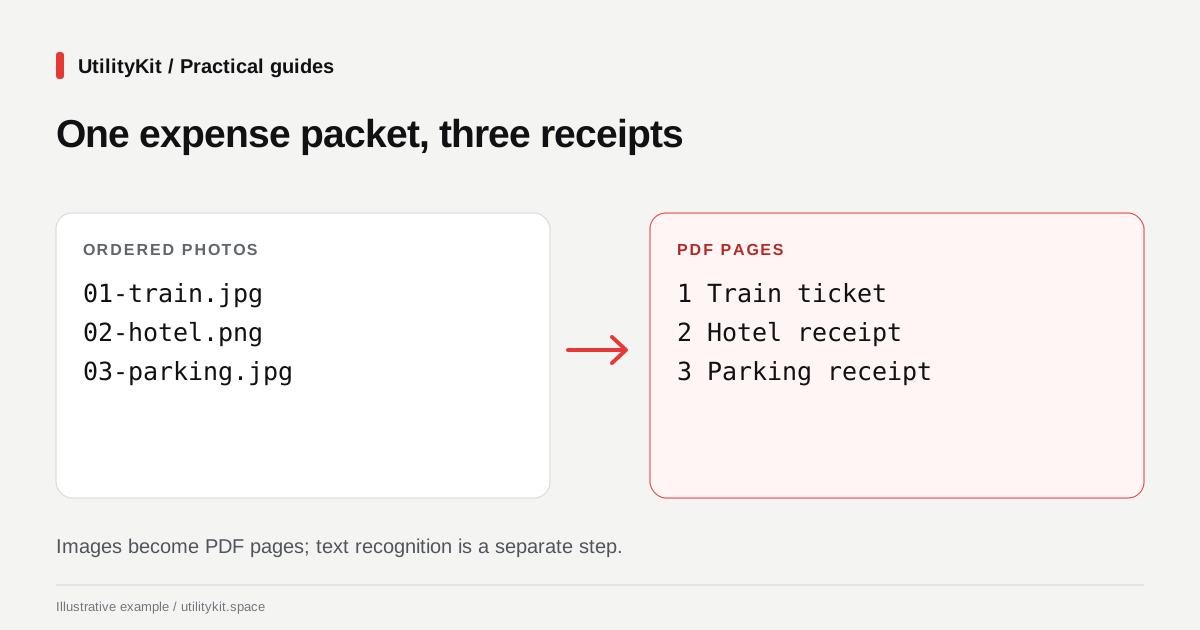
Combine Receipt Photos into a PDF Free in Your Browser
Create an expense PDF from receipt photos free, without an account. Arrange images and generate the document locally, then check every amount.
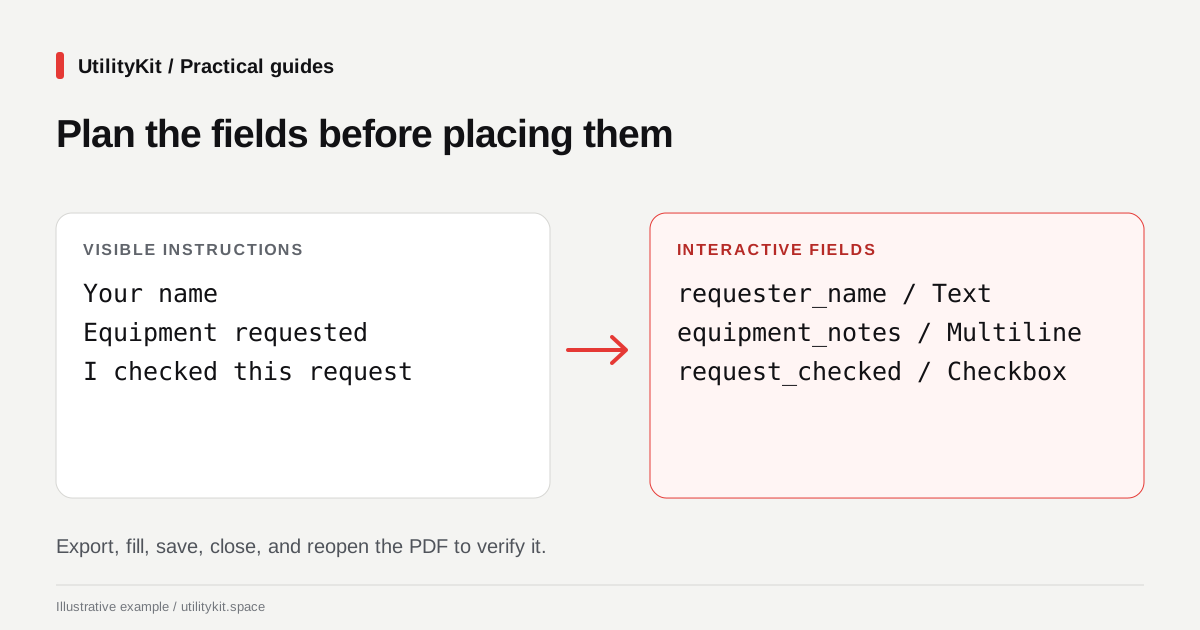
Create a Fillable PDF Free and Keep a Reusable Template
Build a fillable PDF free, without an account. Add fields locally, save a reusable form definition, and collect completed field values into CSV.
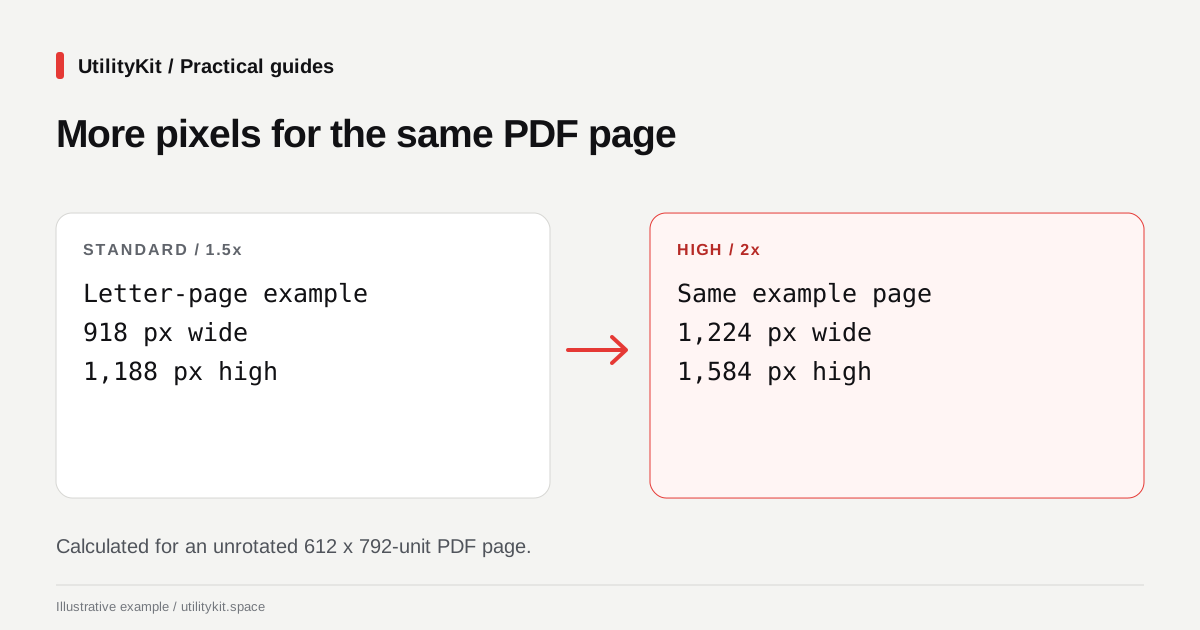
Free PDF to PNG or JPG: Export Pages in Your Browser
Convert PDF pages to PNG or JPG free, with local rendering and no account. Choose a resolution, inspect the images, and download pages or a ZIP.
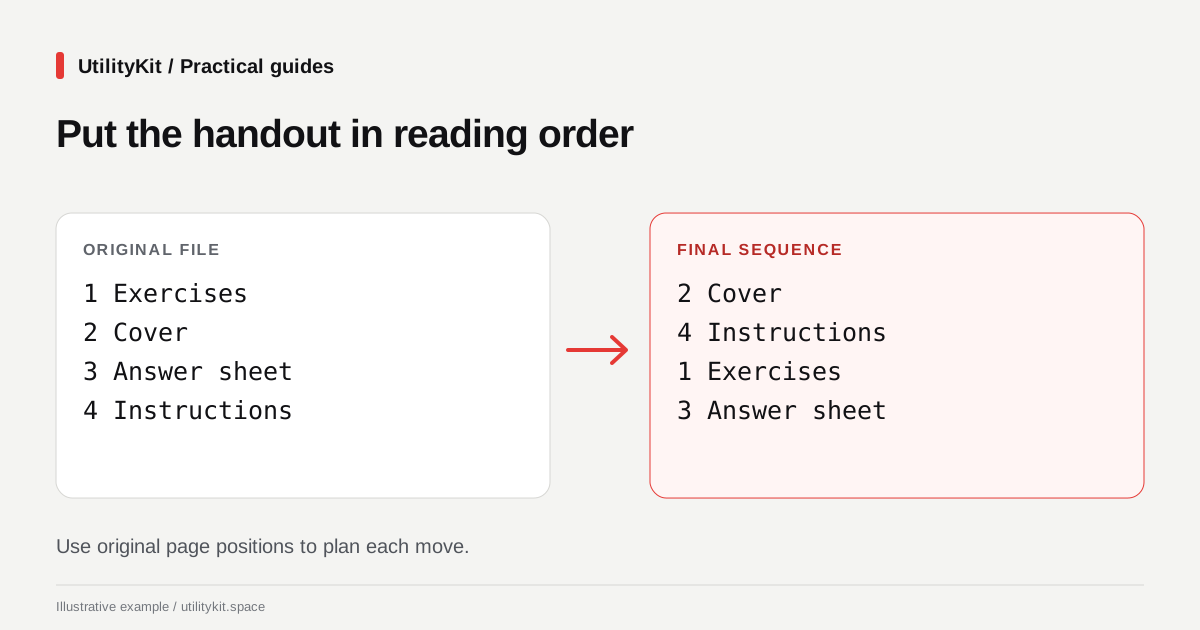
Reorder PDF Pages Free in Your Browser
Reorder scanned PDF pages free, without an account. Arrange pages locally in your browser, keep the original, and check the downloaded document.
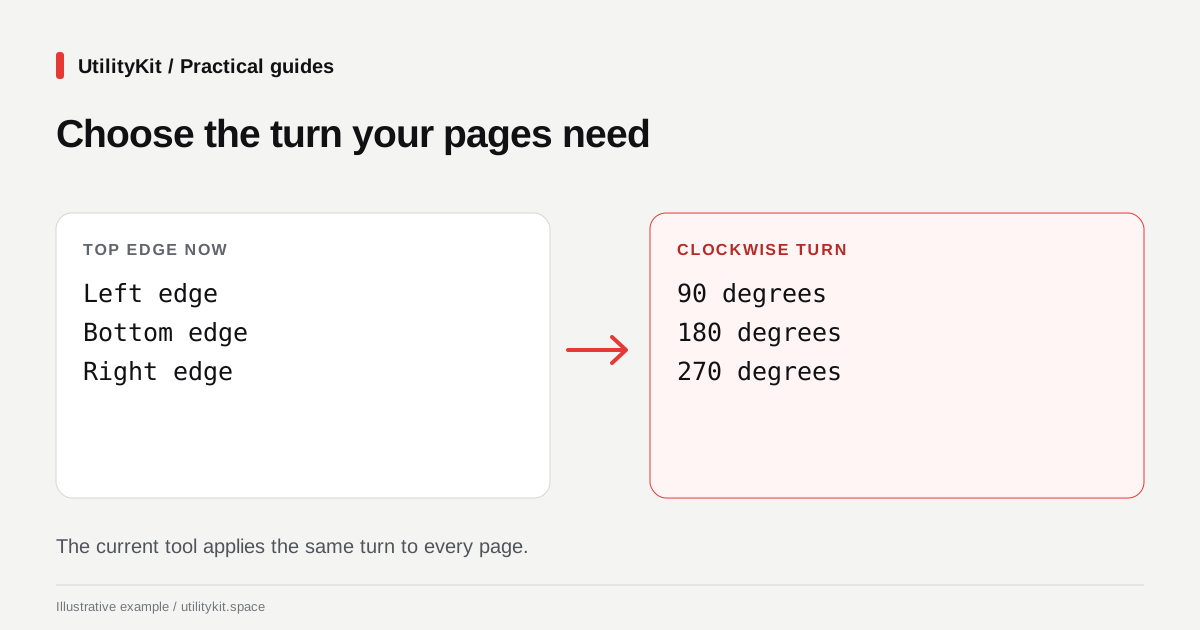
Rotate a PDF Free and Save It Without an Account
Rotate a sideways PDF free in your browser and download the corrected copy. No account needed; learn the all-pages rotation limit before starting.
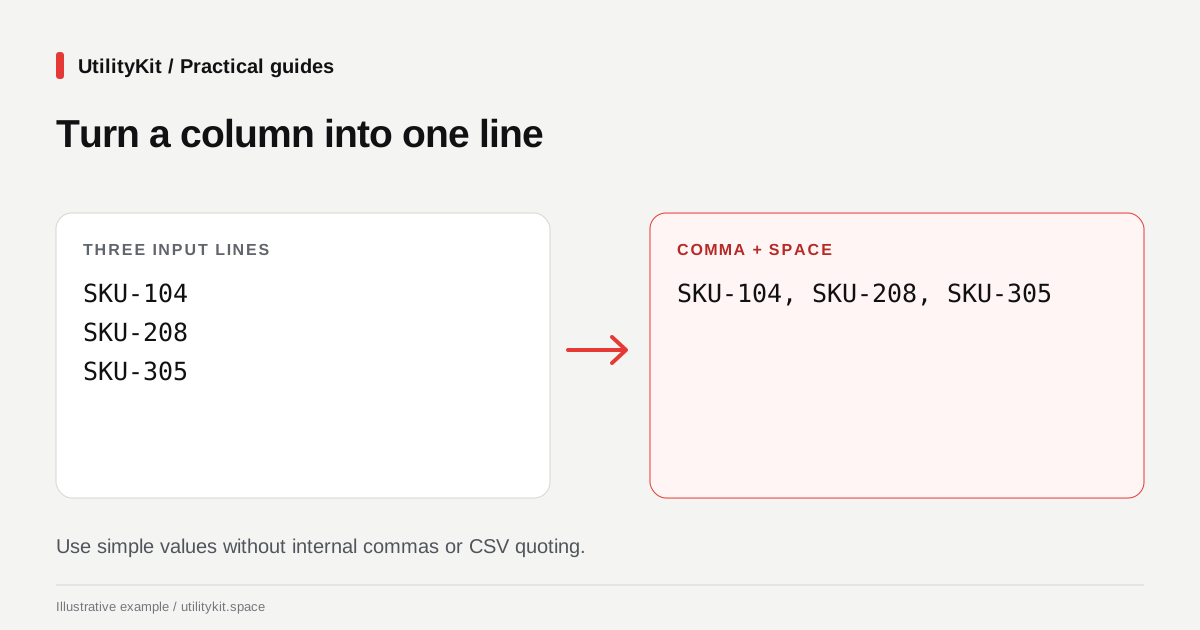
Join Lines with Commas Free, Without Creating an Account
Turn a column into a comma-separated list free in your browser. Choose separators, keep meaningful blanks, and inspect the result without an account.
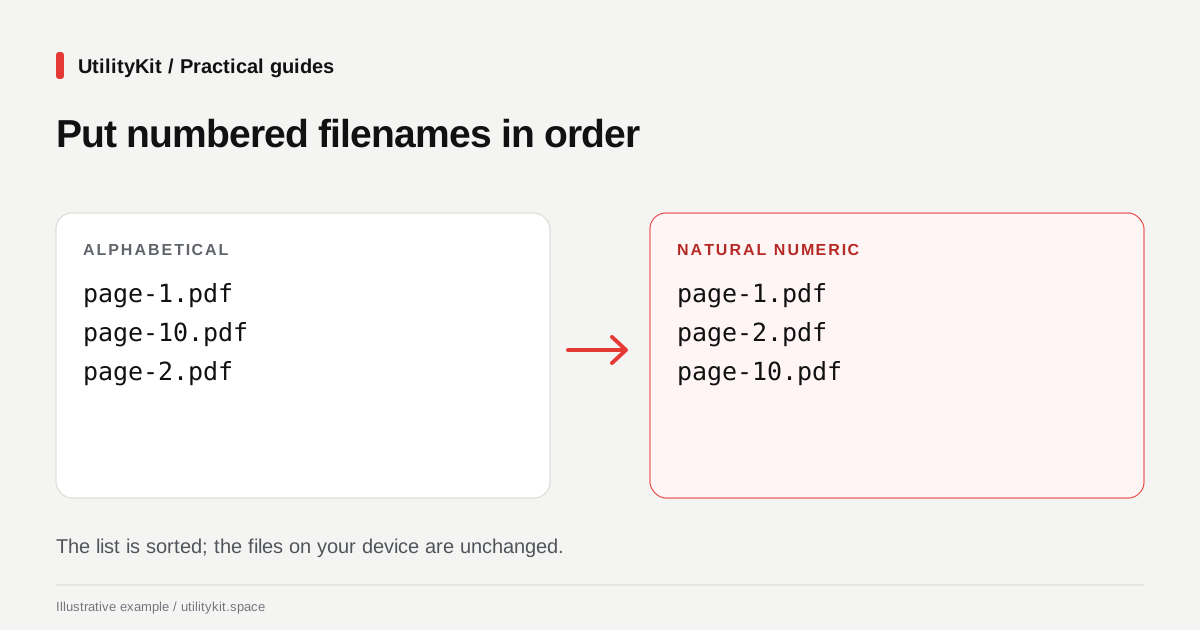
Sort Numbered File Lists Free: Get the Order 1, 2, 10
Sort filenames and numbered labels free in your browser. Choose natural order, add numbering, and copy the result without an account or file uploads.
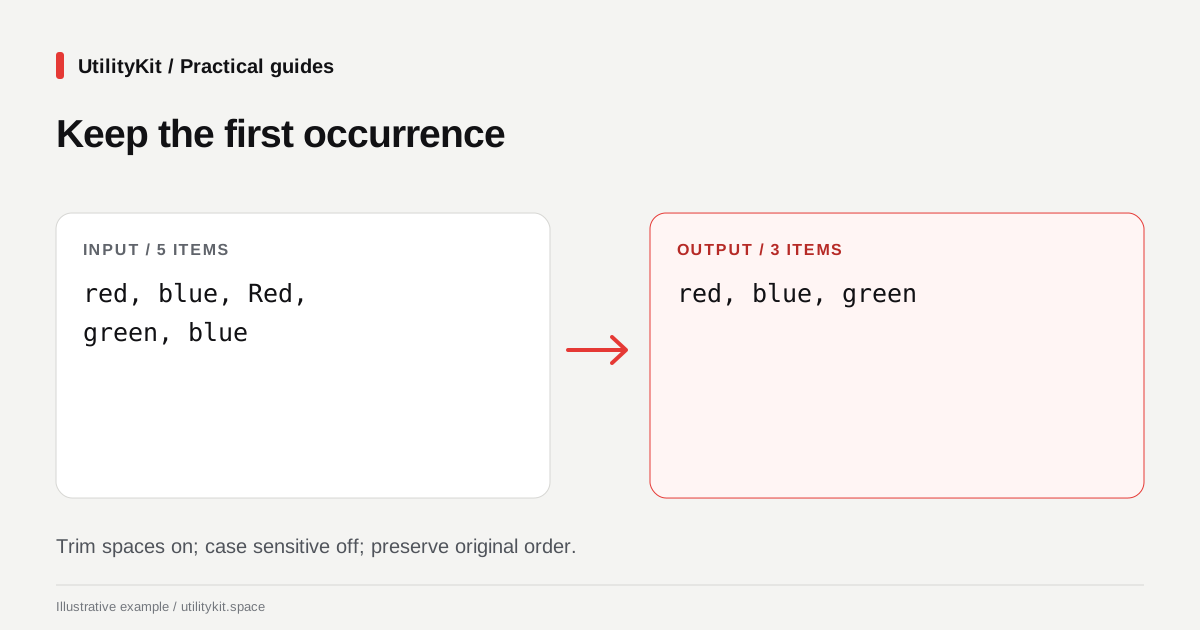
Remove Duplicate List Values Free in Your Browser
Remove repeated comma-separated values free, without an account. Process the list locally and control case, whitespace, and first-seen order.
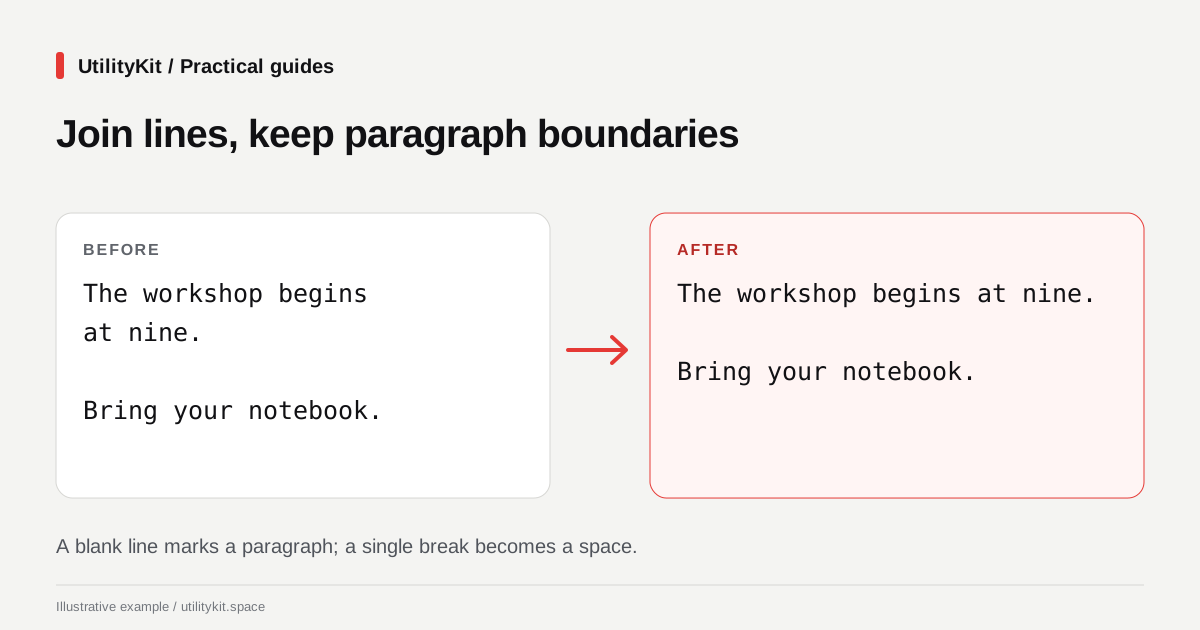
Remove Line Breaks Free While Keeping Paragraphs
Fix wrapped text free in your browser, without an account. Keep paragraph gaps, inspect the result, and avoid sending drafts to a text-processing server.

How to Generate UUID v4 IDs in Bulk for Test Data and Spreadsheets
Learn the RFC 9562 UUID v4 specification, how to generate thousands of collision-resistant IDs for mock databases, and how to format them for CSV and SQL.
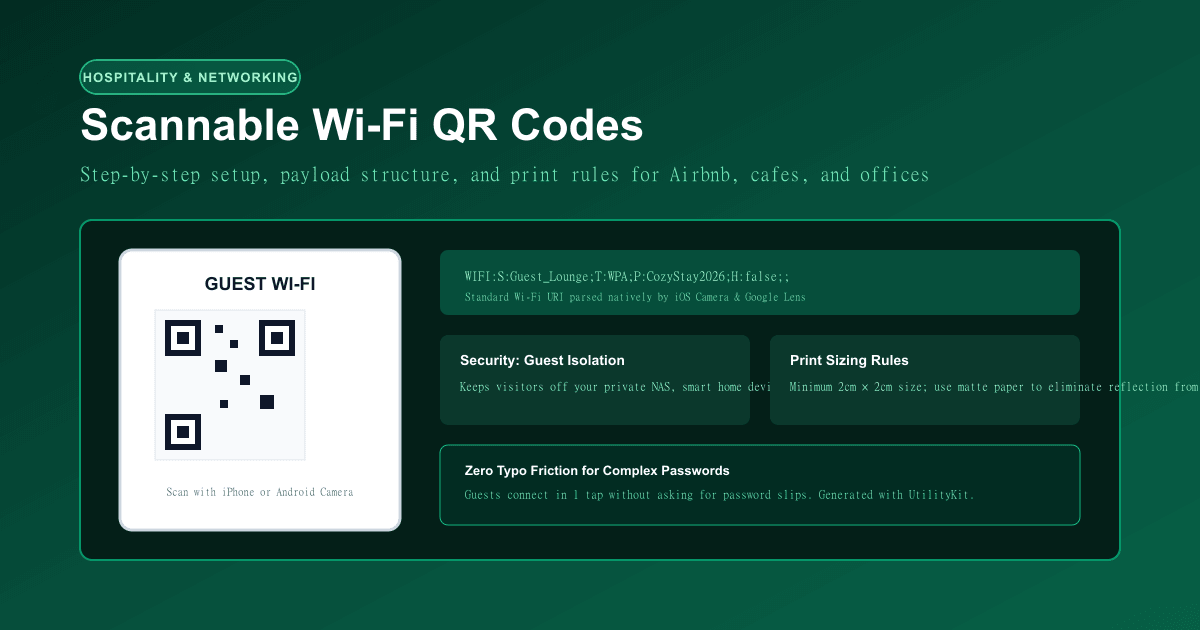
How to Make a Scannable Wi-Fi QR Code for Guests (With Print Best Practices)
Learn the standardized Wi-Fi QR payload schema, network isolation security rules, and print guidelines for homes, offices, and Airbnb rentals.
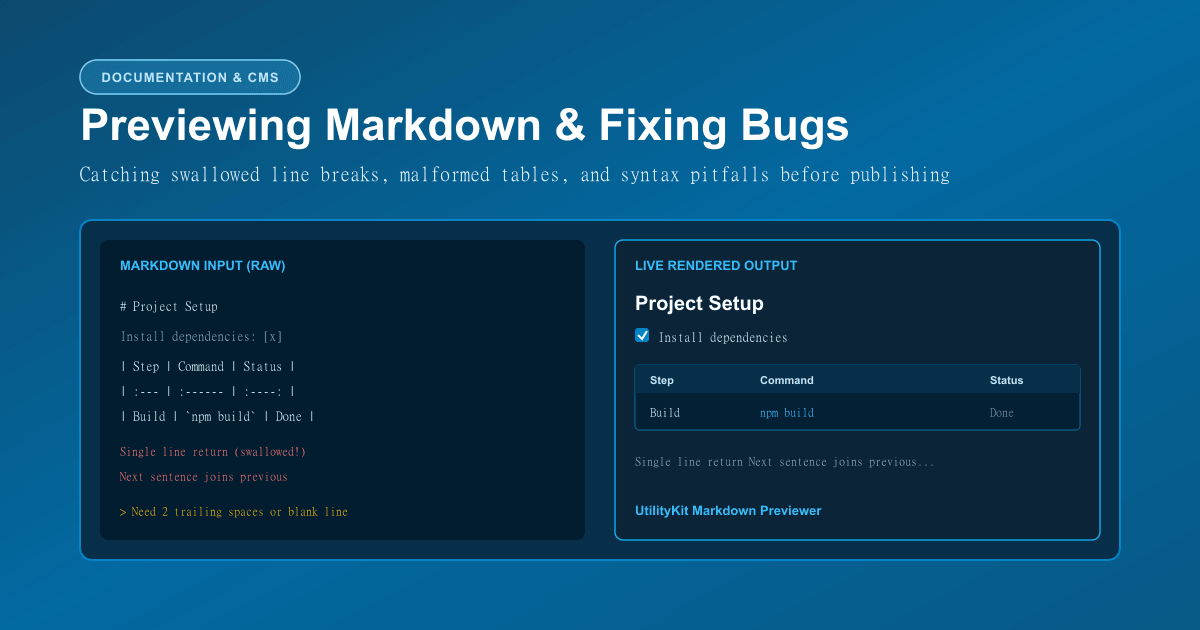
How to Preview Markdown and Catch Common Formatting Mistakes
Learn the CommonMark and GFM rules that prevent swallowed line breaks, malformed tables, broken task lists, and mismatched code fences.
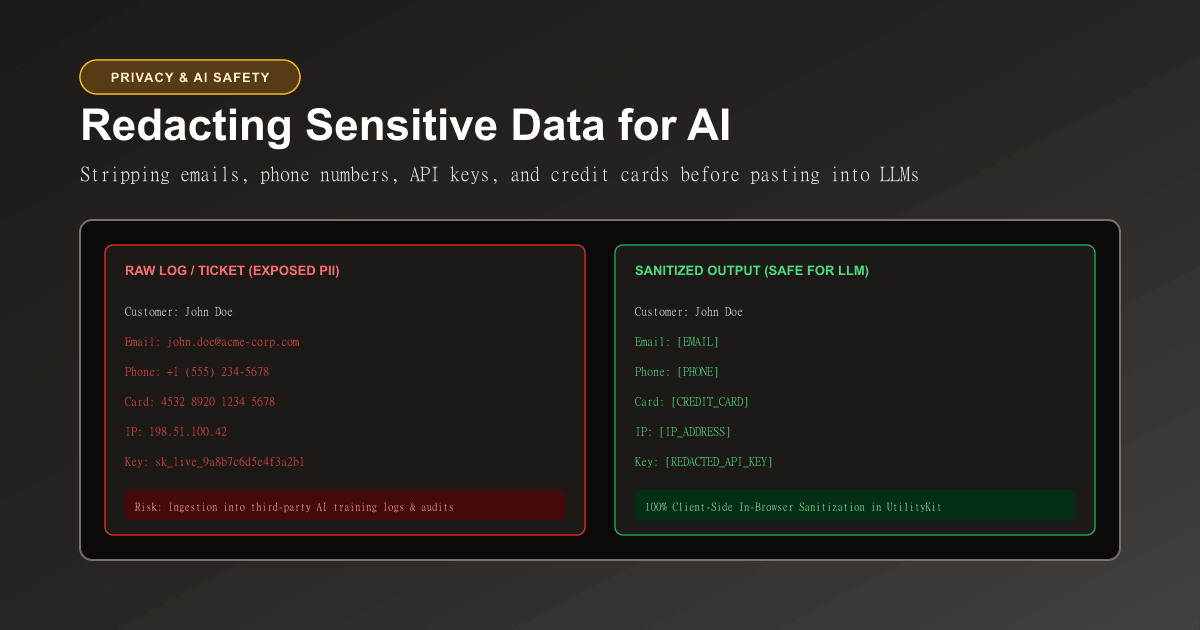
How to Redact Sensitive Personal Information Before Pasting Text into AI Prompts
Learn how to strip emails, phone numbers, credit cards, SSNs, and IP addresses from logs and tickets before submitting them to ChatGPT, Claude, or support tools.
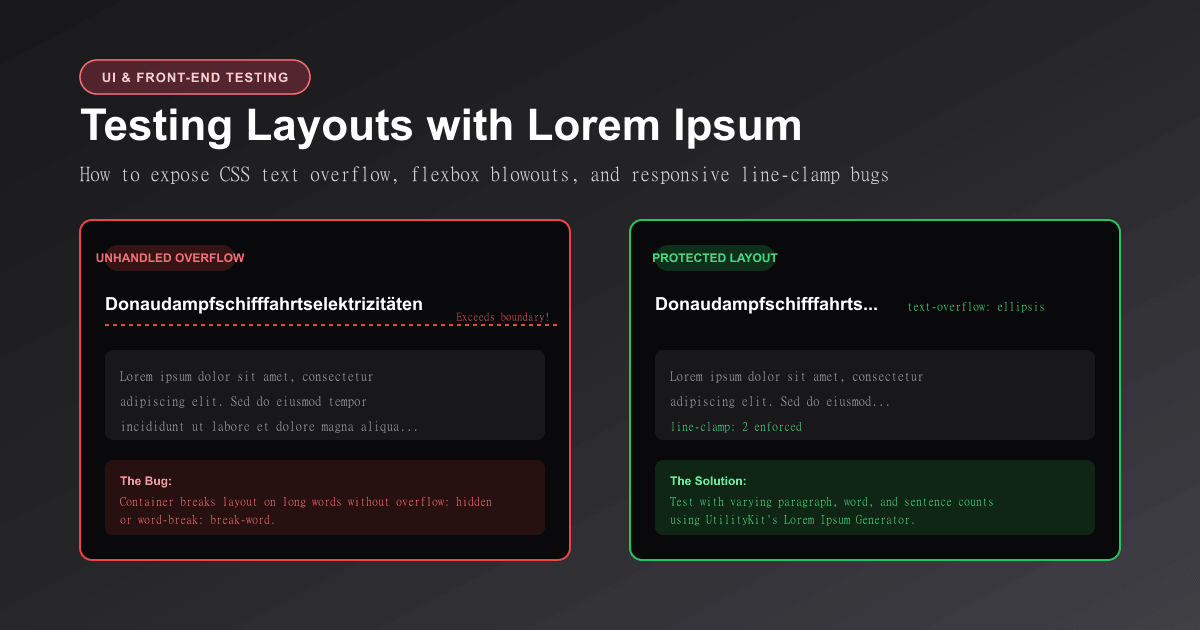
How to Use Lorem Ipsum to Test Layouts and Catch CSS Text Overflow
Learn why dummy text is essential for UI design, how to stress-test responsive components, and CSS rules to fix text overflow and flexbox blowouts.
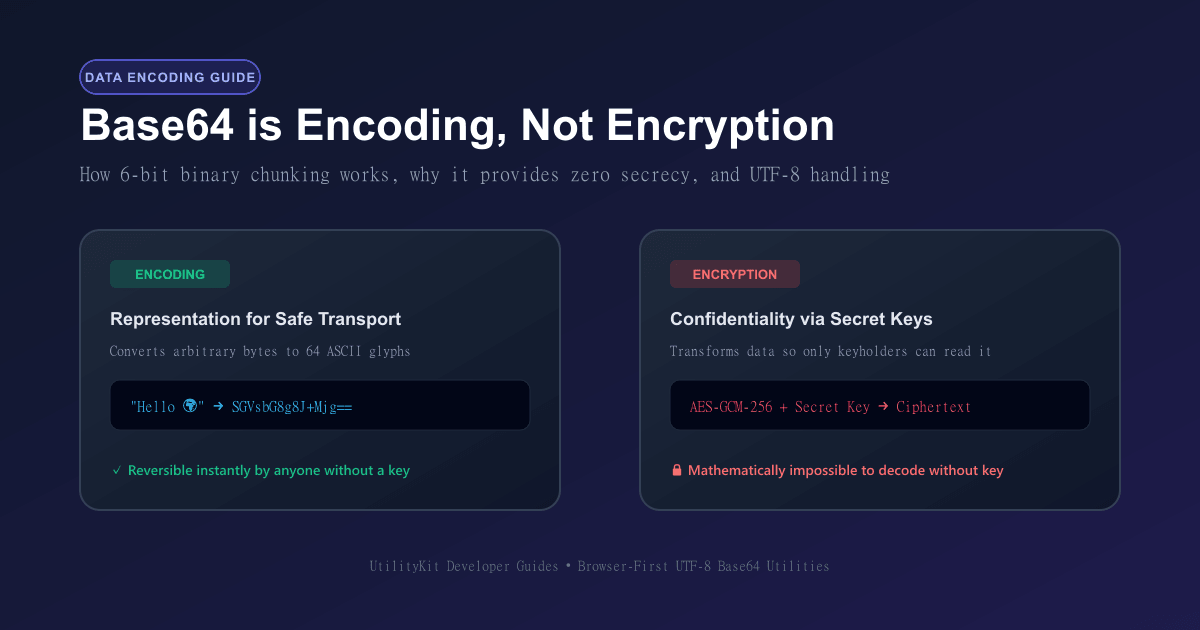
Base64 Encoding vs Encryption: Why Obfuscation Is Not Security
Understand the mathematical difference between Base64 data representation and cryptographic encryption, how 6-bit grouping works, and how to encode safely.
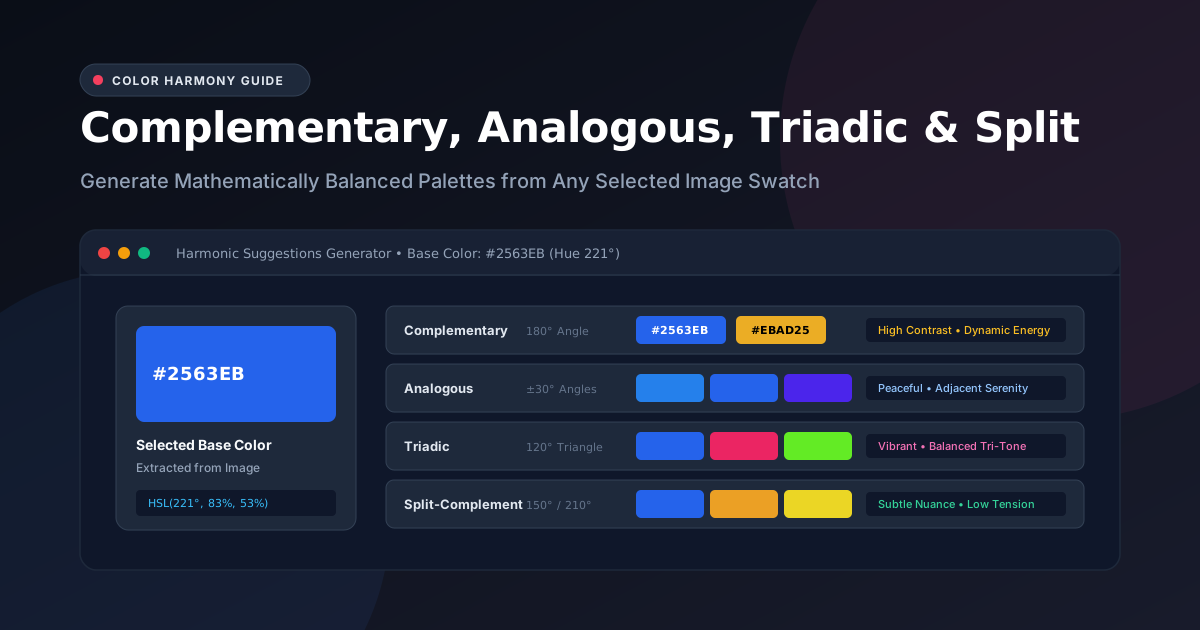
Complementary, Analogous, Triadic, and Split-Complementary Palettes
Master color wheel harmonies. Explore the mathematics behind complementary, analogous, triadic, and split-complementary schemes, and learn why wheel harmony does not guarantee WCAG accessibility.
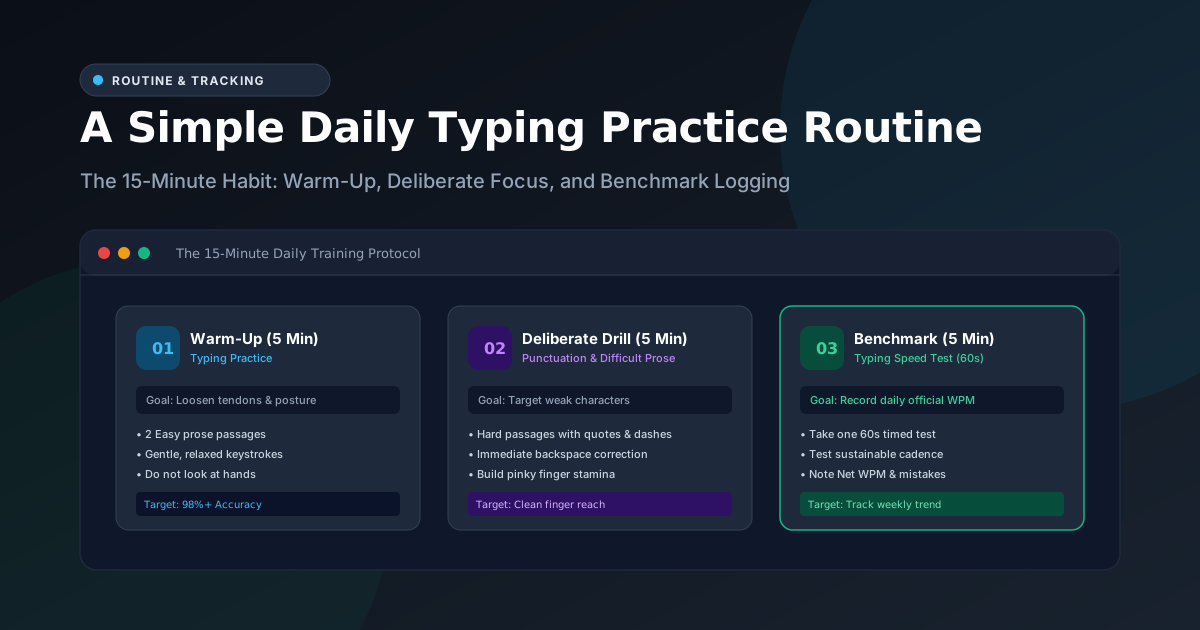
A Simple Daily Typing Practice Routine and How to Track Progress
Build lasting keyboard speed with a 15-minute daily typing routine. Learn how to structure warm-ups, deliberate drills, and rolling 7-day benchmark tracking.
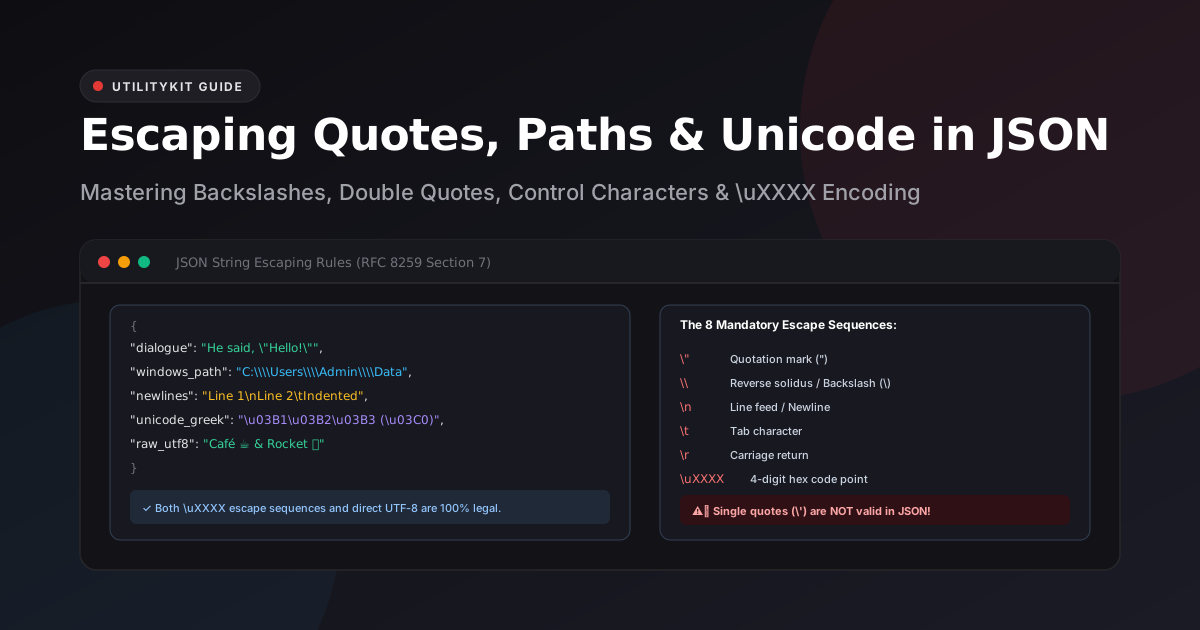
Escaping Quotes, Backslashes, and Unicode in JSON Strings
Master JSON string escape sequences under RFC 8259: handle Windows file paths, embedded quotation marks, control characters, and Unicode surrogate pairs without syntax errors.
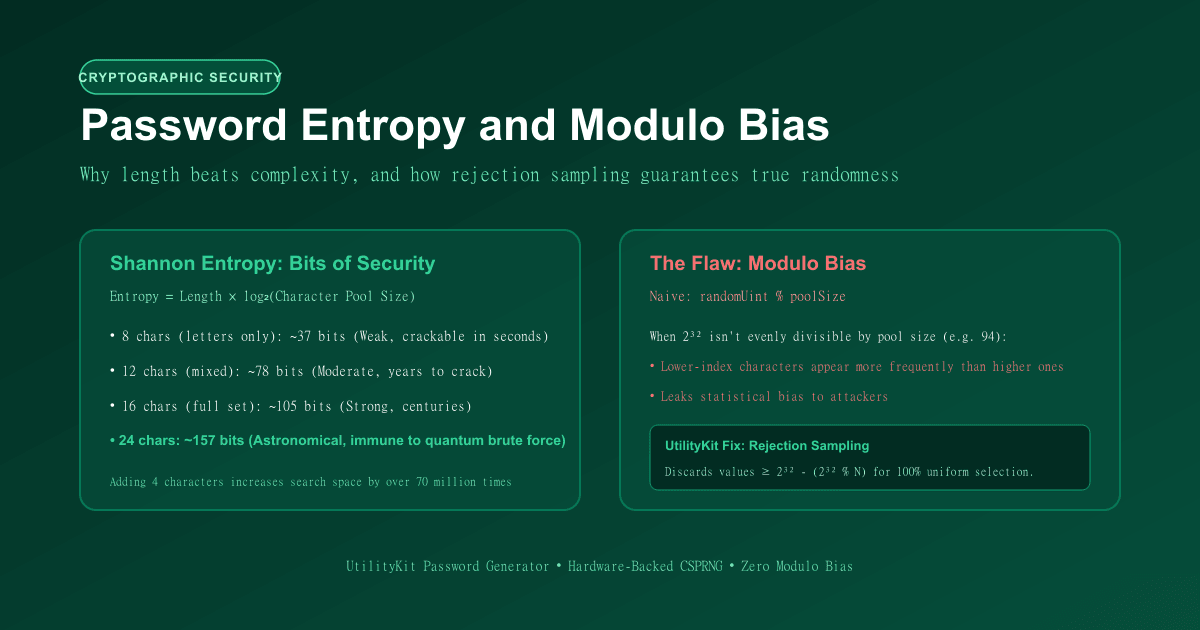
How Password Entropy and Modulo Bias Affect Password Security
Learn the mathematics of password entropy, why passphrase length beats complex symbols, and how modulo bias undermines random generators.
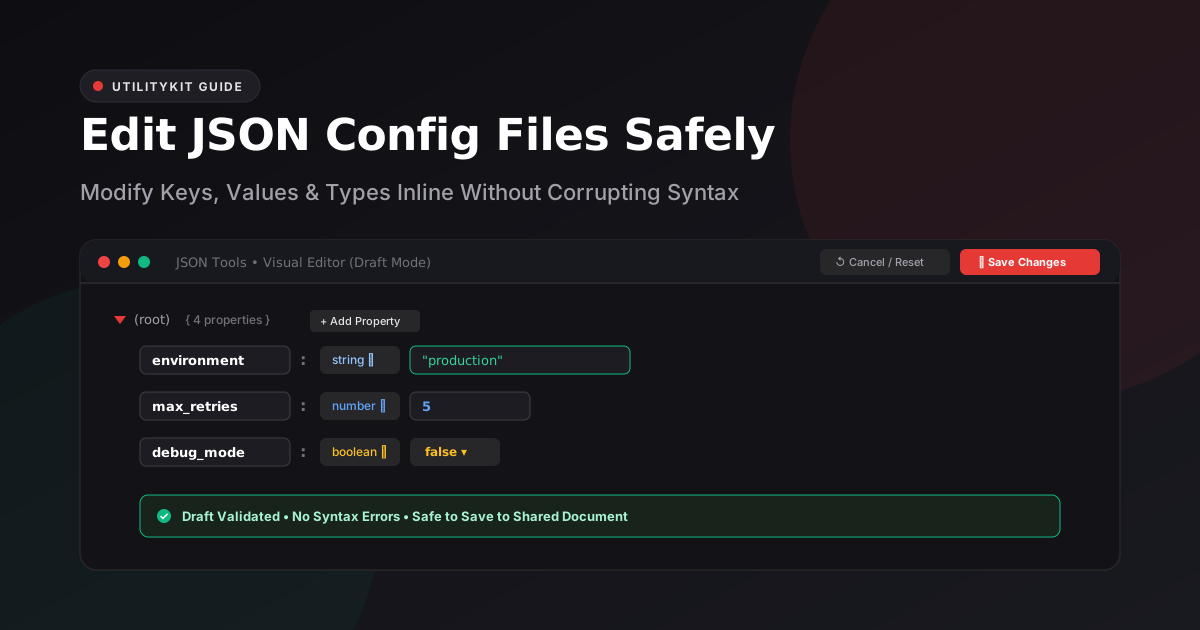
How to Edit a JSON Configuration File Without Breaking Its Structure
Discover how to modify JSON configs, package.json, and app settings safely using draft validation, inline key renaming, and type-safe visual tree editing.
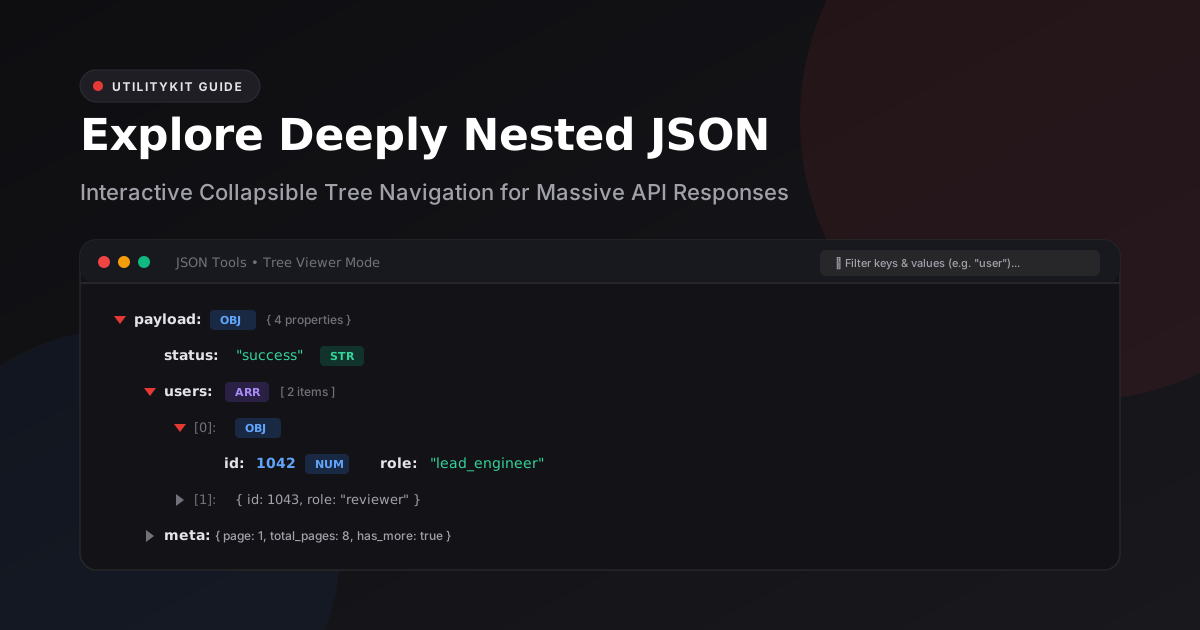
How to Explore Deeply Nested JSON with a Collapsible Tree Viewer
Learn how to inspect, search, and navigate complex, multi-level JSON structures using an interactive collapsible tree viewer without text fatigue or accidental syntax edits.
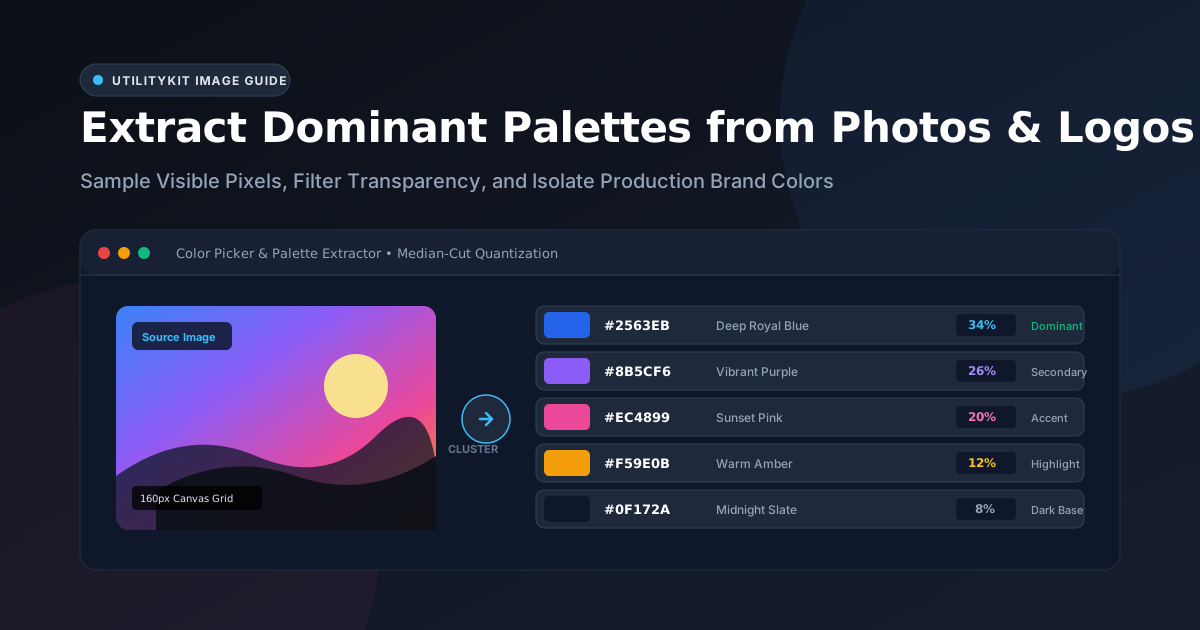
How to Extract a Color Palette from a Photo or Logo
Learn how to extract dominant color palettes from photographs and vector brand logos using median-cut quantization, alpha filtering, and canvas sampling.
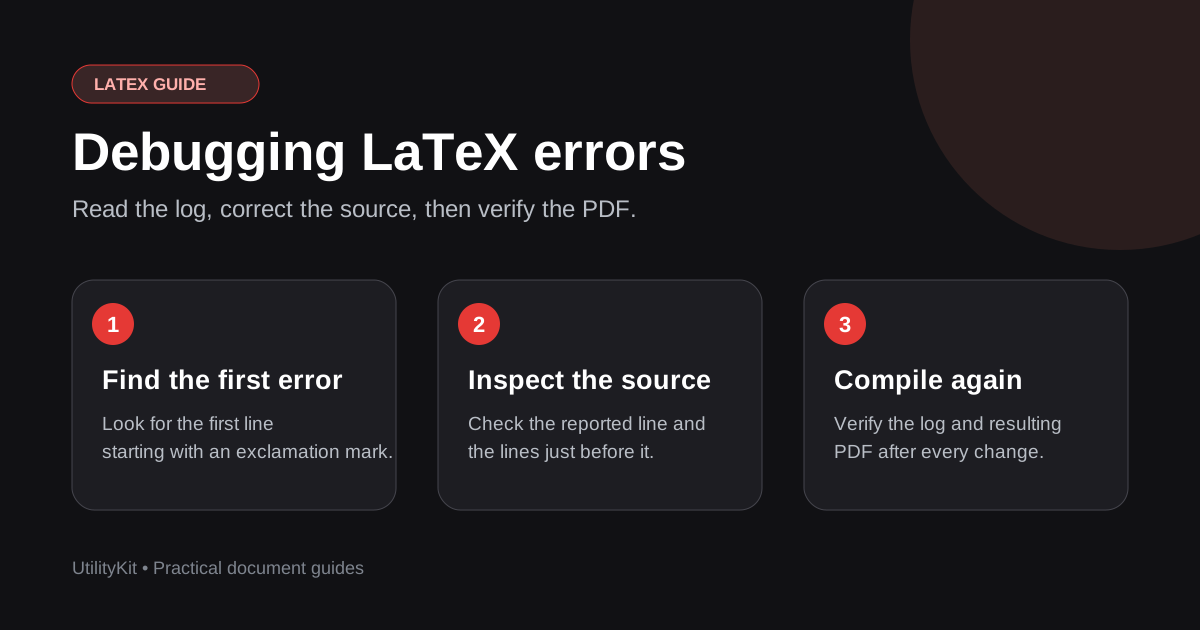
How to Fix LaTeX Compile Errors and Debug Documents Fast
Learn to read TeX error logs, find the source line, fix common package and syntax errors, and ask an AI assistant for a corrected document.

How to Turn Image Colors into a Usable Website Palette
Transform raw extracted photo or logo swatches into an accessible, production-ready website design system using the 60-30-10 rule and CSS custom properties.
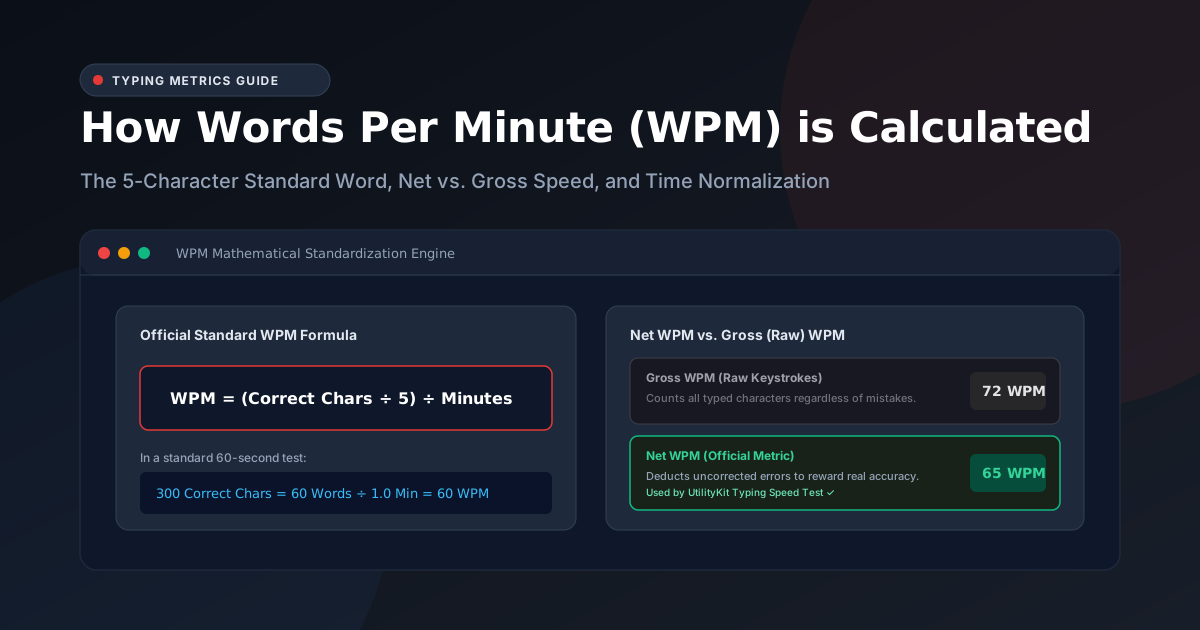
How Words Per Minute (WPM) is Calculated in a Typing Test
Discover how typing speed is measured using the 5-character standardized word rule, the difference between Gross and Net WPM, and why time normalization matters.
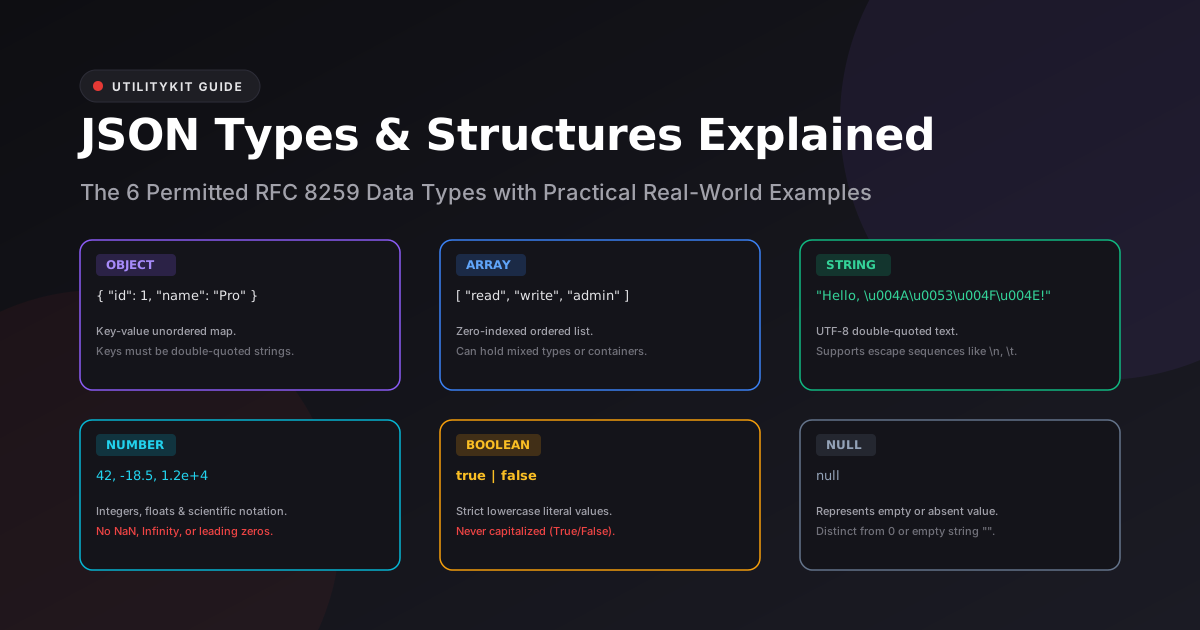
JSON Objects, Arrays, and Value Types Explained with Real Examples
Master the 6 official JSON data types under RFC 8259: objects, arrays, strings, numbers, booleans, and null, and understand why undefined and functions are forbidden.
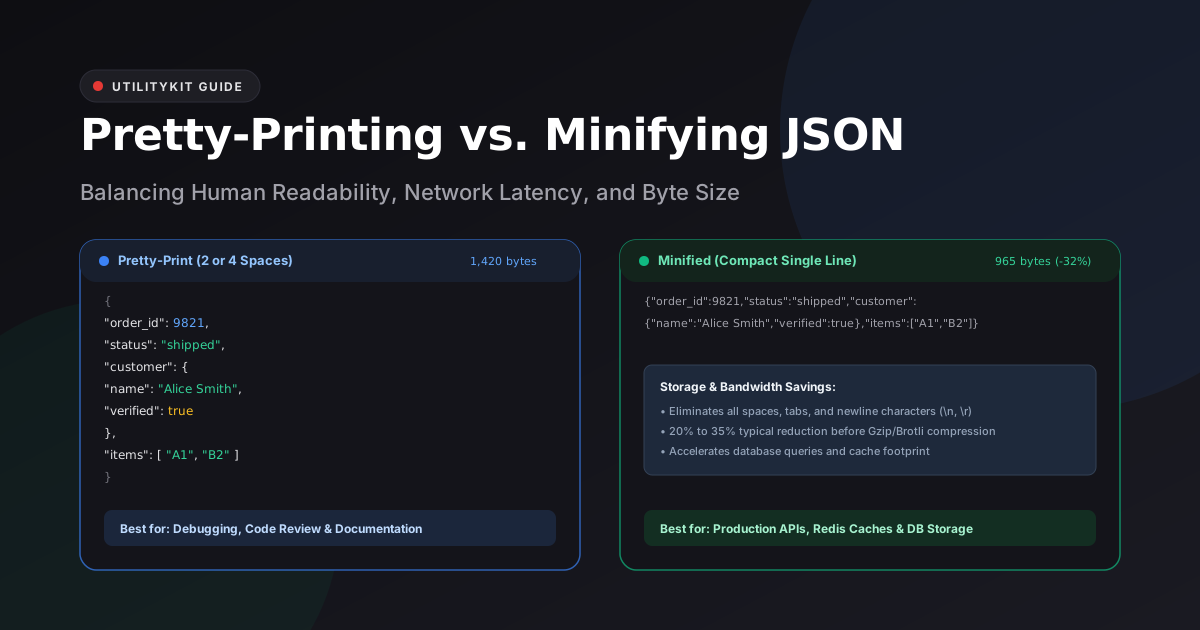
Pretty-Printing vs. Minifying JSON: When and Why to Use Each
Understand the technical tradeoffs between pretty-printing with 2 or 4 spaces and compact single-line minification for API payloads, Git diffs, and database storage.
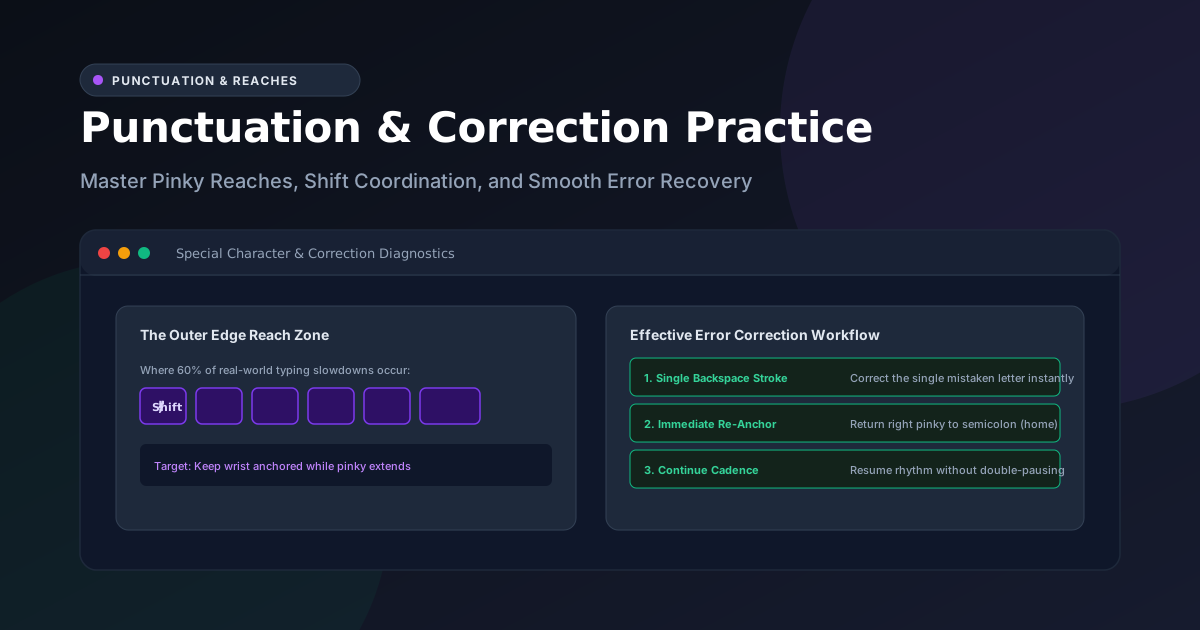
How to Use Punctuation and Correction Practice to Improve Typing
Master pinky finger reaches, opposite-hand Shift key coordination, and rapid Backspace error recovery to unlock real-world keyboard fluency.
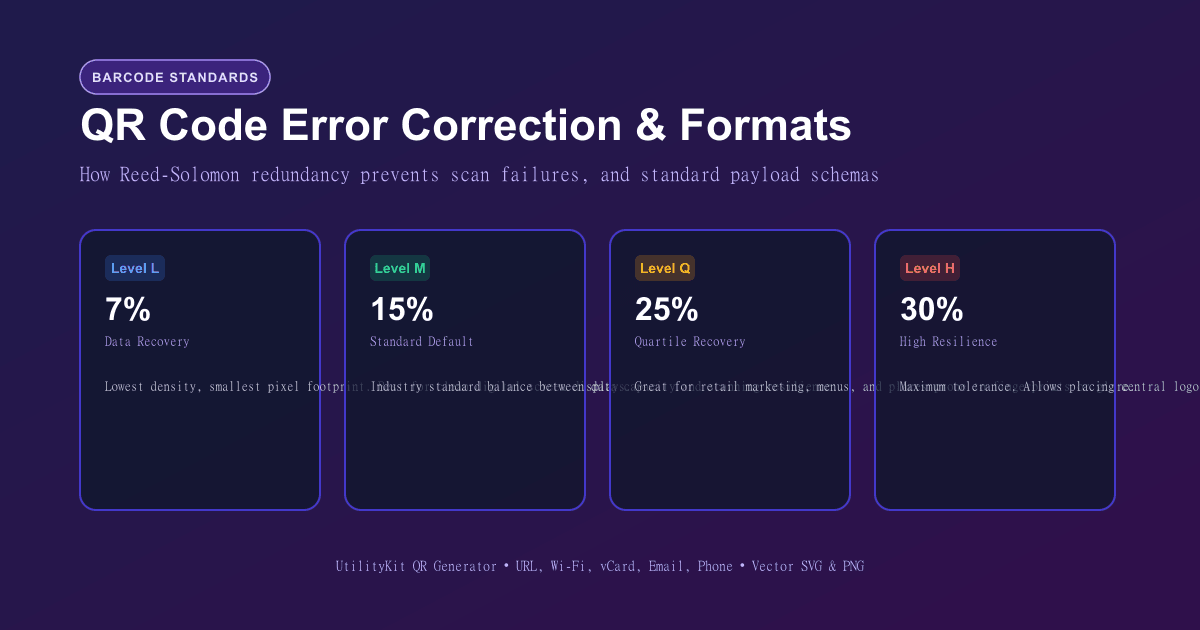
QR Code Error Correction and Payload Formats Explained
Learn how Reed-Solomon error correction keeps damaged QR codes readable, how to format Wi-Fi, vCard, and URL payloads, and scan-reliability rules.
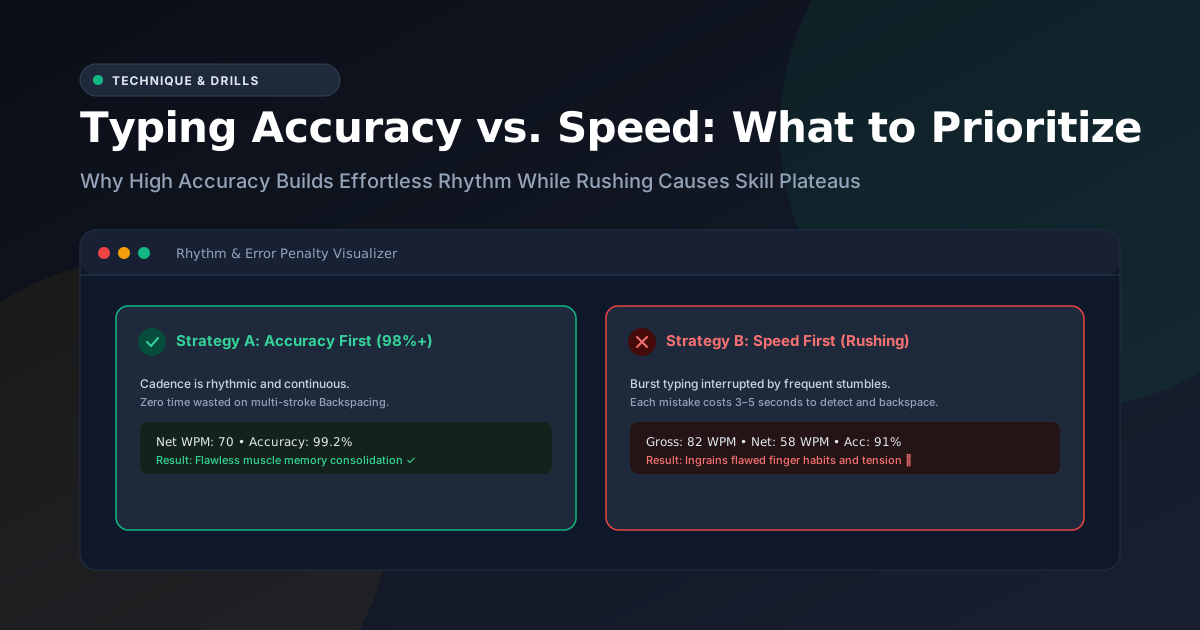
Typing Accuracy Versus Speed: What to Focus on During Practice
Why prioritizing typing accuracy over raw speed eliminates the costly backspace penalty, consolidates muscle memory, and naturally unlocks sustainable typing velocity.
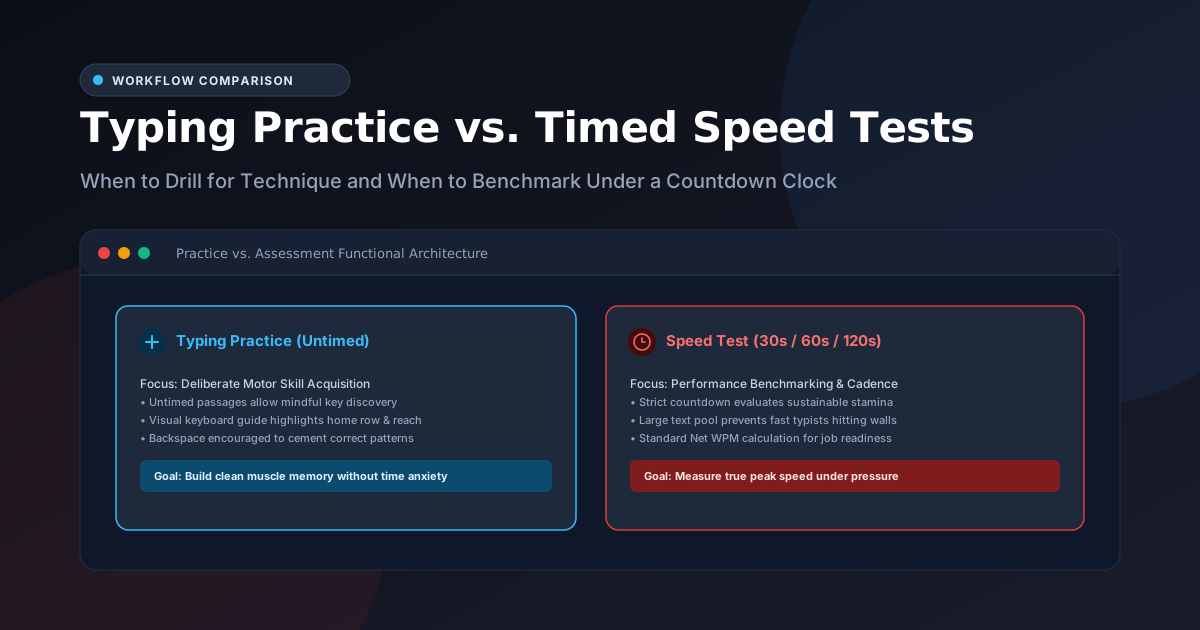
Typing Practice Versus a Timed Typing Test: Which Should You Use?
Understand the difference between deliberate untimed typing practice and timed speed tests, and learn how to combine both into an effective typing improvement routine.
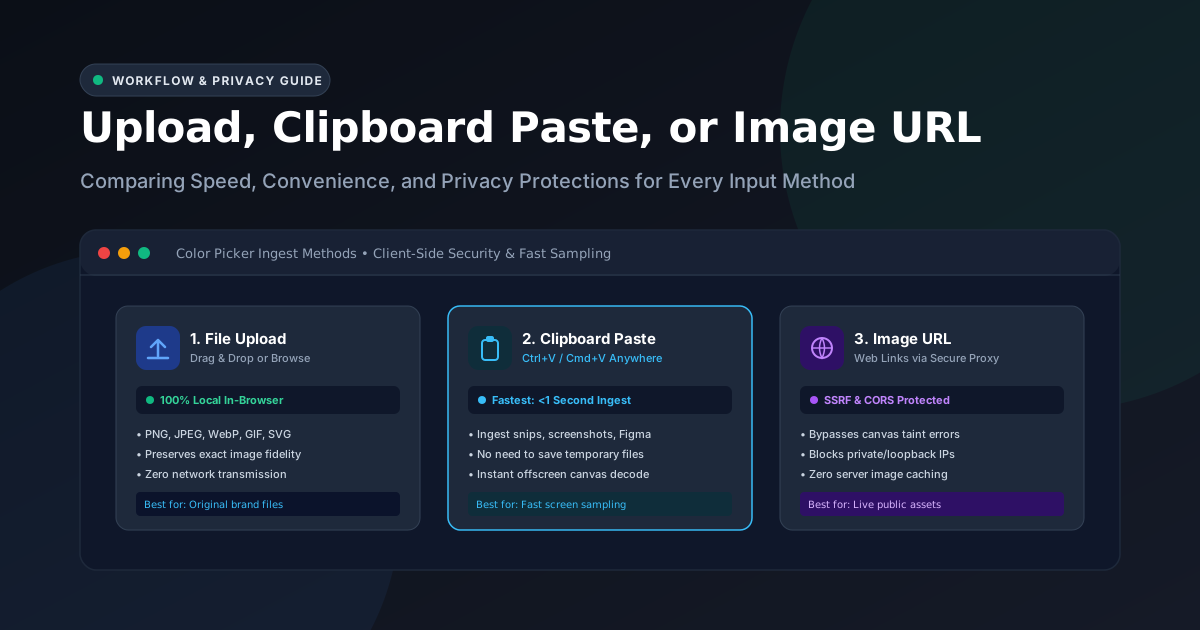
Upload, Clipboard Paste, or Image URL: Choosing an Input Method
Compare the speed, privacy, and technical trade-offs of file uploads, clipboard pastes, and image URL inputs in online color picker tools.
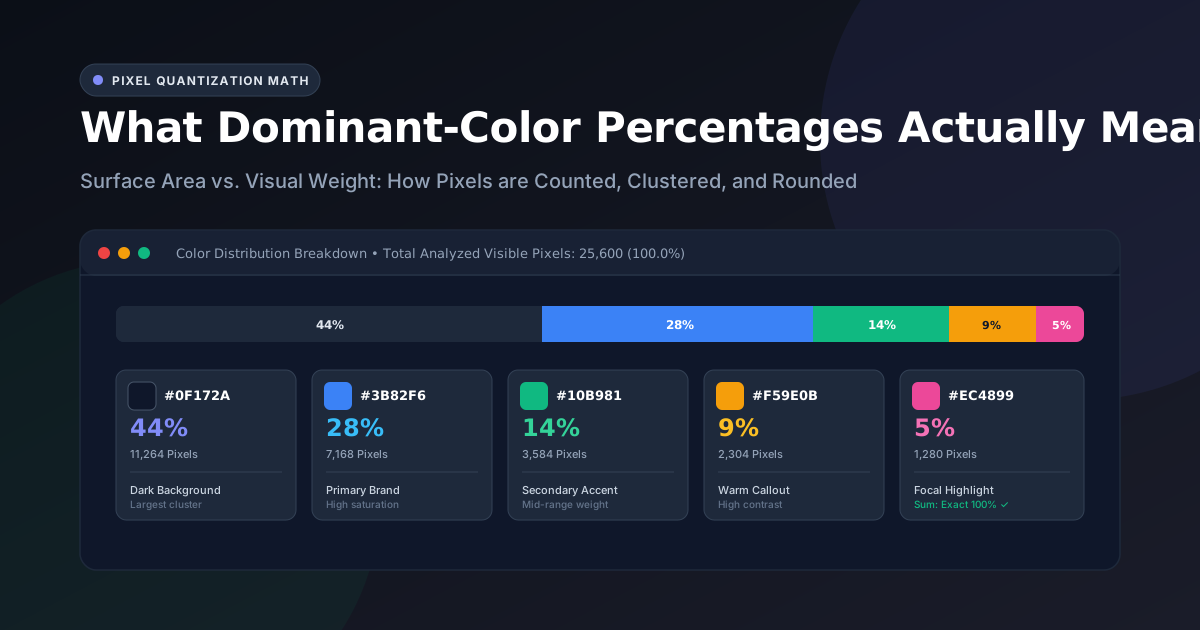
What Dominant-Color Percentages Actually Mean
Demystify color extraction percentages. Learn how pixel area coverage is calculated, why percentages sum to exactly 100%, and how visual weight differs from mathematical dominance.
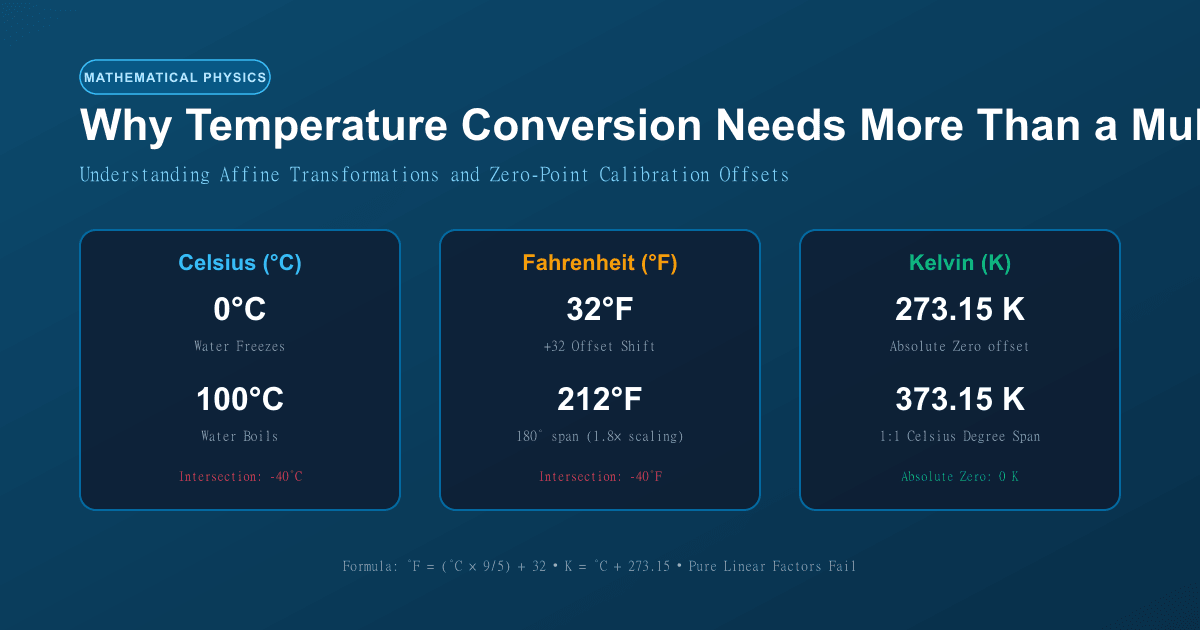
Why Temperature Conversion Requires More Than Just Multiplication
Learn the mathematical difference between ratio and interval measurement scales, why temperature requires affine offsets, and how to convert Celsius, Fahrenheit, and Kelvin.

How to Convert Video to MP3, MP4, or GIF Responsibly: Quality and Rights
Learn how to convert video to MP3, MP4, or GIF, balance compression and quality tradeoffs, extract audio cleanly, and respect copyright and platform terms.

How to Sanitize a PDF Contract Before Sharing: The Complete Privacy Checklist
Master document sanitization to strip internal comments, wipe author metadata, excise confidential terms, and prepare clean, audit-proof legal agreements.

Electronic Signature vs Digital Signature in PDFs: What You Need to Know
Understand the vital legal and technical differences between simple electronic signatures and cryptographic digital signatures in PDF agreements.

How to Extract Invoice Data from PDFs into a Spreadsheet: OCR vs. AcroForms
Learn how to extract invoice data from PDF documents into Excel or CSV spreadsheets, manage OCR confidence scores, and verify financial totals accurately.

How to Build a Clean UTM Link for Campaign Tracking Without Breaking Analytics
Master UTM link building: understand source, medium, and campaign parameters, establish clean lowercase naming conventions, and avoid messy analytics fragmentation.

How to Prepare a Bank Statement PDF for Secure Sharing
Safely share bank statements for mortgage, rental, or visa applications by isolating relevant pages, redacting account numbers, and stripping hidden metadata.

What is PDF/A? Standard Explained for Ordinary Document Workflows
Learn what PDF/A means, compare PDF/A-1, 2, and 3, understand font embedding rules, and check when an archive or filing workflow requires this preservation format.

How to Compare Two Text Files and See What Changed: Line vs. Word Diff
Learn how to compare two text files side by side, spot subtle wording differences, ignore noisy whitespace changes, and review revisions securely without cloud leaks.

How to Make a Scanned PDF Searchable with OCR: Complete Guide
Learn how Optical Character Recognition (OCR) converts scanned paperwork and image-based PDFs into searchable, selectable, and copyable digital documents.

How to Reduce a PDF to Meet Website Upload Limits (Gov, Job, and University Portals)
Learn how to shrink oversized PDFs to fit strict 1MB, 2MB, or 5MB website upload limits on government portals, job applications, and university systems.

Browser PDF Tools vs Desktop Software: Performance, Privacy, and Cost Comparison
A transparent comparison of modern in-browser WebAssembly PDF processing versus traditional desktop suites like Adobe Acrobat and cloud converters.

How to Format and Validate JSON: Fixing Common Syntax Errors Safely
Master JSON formatting, fix trailing commas, single-quote errors, and unquoted keys, and learn how to validate JSON data without leaking API keys to cloud servers.
Splitting vs Extracting PDF Pages: Key Differences and When to Use Each
Understand the practical differences between splitting a PDF and extracting PDF pages to organize, separate, and share document sections efficiently.

Emoji Copy and Paste: How to Find, Combine, and Use Emojis Quickly
Discover how to quickly search, copy and paste emojis by meaning, build expressive combinations, navigate skin-tone modifiers, and understand platform rendering.
How to Redact Personal Information from a PDF Correctly (And Why Black Boxes Fail)
Learn how to permanently redact sensitive personal and confidential data from PDF files, and discover why drawing black rectangles is an invitation to data leaks.

How to Format a LinkedIn Post for Better Readability
Learn how to format a LinkedIn post with clean line breaks, readable spacing, bullet points, and an accessible layout that respects reader attention.
How to Merge Invoice PDFs into One Clean Client Packet
Learn how to merge multiple invoice PDFs and expense receipts into one ordered client packet, maintain proper page orientation, and streamline accounting approvals.

How to Split Long Text into an X (Twitter) Thread: Clean Breaks and Numbering
Learn how to use an X thread splitter to break long essays and articles into readable posts, preserve numbering, manage character limits, and avoid broken sentences.

How to Remove Duplicate Lines from a List: Case, Whitespace, and Sorting
Learn how to remove duplicate lines from messy text lists, handle case sensitivity, trim hidden whitespace, and preserve original list order safely.

How to Clean Text Copied from a PDF or Website
Learn how to clean text copied from PDF files and web pages, remove unwanted line breaks, fix double spaces, and preserve intentional paragraph breaks.

How to Remove Hidden Metadata from a PDF Before Sharing
Discover what hidden personal data lives inside your PDF files, what metadata removal can and cannot fix, and how to safely wipe author names and revision history.

How to Compress a PDF for Email Without Losing Quality
Learn how to compress a PDF for email, reduce file size, choose the right quality level, and avoid blurry text or unreadable scans before sending.