Rotate a PDF Free and Save It Without an Account
Rotate a sideways PDF free in your browser and download the corrected copy. No account needed; learn the all-pages rotation limit before starting.
Rotate PDF Pages
Permanently rotate upside-down or sideways PDF pages by 90°, 180°, or 270°.
To make a sideways PDF open correctly for someone else, save a new PDF with the page rotation changed. Turning the view while reading may only affect your current viewer session; the downloaded output is what you need to verify.
UtilityKit's free Rotate PDF Pages tool offers 90, 180, and 270-degree rotations with no account or payment step. The current interface rotates all pages together. Check whether the entire document needs the same adjustment before using it.
A quick correction with local document processing
This tool is useful when a whole scan is sideways and you simply need a corrected file. The rotation is applied in your browser, and you download a new copy. The tool does not require a document upload to a remote processing service.
The practical benefit is a small, complete task: choose the turn, save the result, and verify it. The 50 MB input limit still applies, and documents with mixed orientations need the separate workflow below. Website delivery and ads involve their own network requests; see the privacy policy for that distinction.
Choose the right rotation
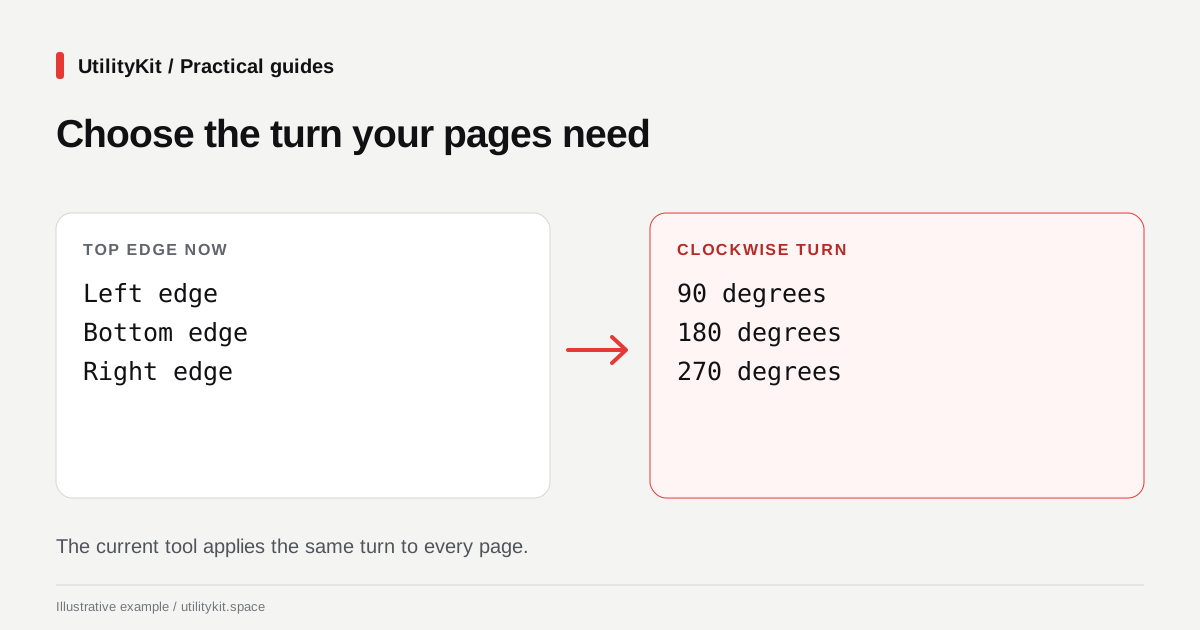
Imagine turning the page like a sheet of paper on a desk. Use the position of the heading to decide which turn will bring it to the top.
| Current position of the top edge | Adjustment to try |
| On the left | 90 degrees clockwise |
| At the bottom | 180 degrees |
| On the right | 270 degrees clockwise, equivalent to 90 degrees counterclockwise |
This describes the visible starting orientation. PDFs can already contain rotation metadata, so the practical test is always the appearance of the saved result.
Save a document whose pages are all sideways
- Open the original and check several pages. Confirm they all need the same turn.
- Select the PDF in Rotate PDF Pages.
- Choose +90° Clockwise, 180° Invert, or the 270-degree option.
- Generate and download the rotated PDF.
- Close the original viewer tab and open the new file.
- Inspect the first and last pages and any landscape tables in between.
The interface accepts PDFs up to 50 MB. If parsing fails, obtain a normal readable PDF from the source application; the tool is not a password-removal workflow.
The rotation operation changes the page's rotation value rather than converting its contents into a new image. The library's setRotation documentation describes the quarter-turn values used for this operation.
When just one page is sideways
Suppose a six-page report is upright except for page 4. Rotating the entire report would fix page 4 and make the other five pages wrong.
One available workflow is:
- Use Extract PDF Pages to save pages
1-3as the first section. - Extract page
4into its own PDF. - Extract pages
5-6as the final section. - Rotate the one-page PDF.
- Use Merge PDFs to combine the first section, corrected page, and final section in that order.
This creates a new document from page copies. If the original relies on forms, bookmarks, or other interactive features, an editor with individual-page rotation may be a better fit. Check those features rather than assuming they survive extraction and merging.
For a long file with many alternating sideways pages, avoid repeating this process dozens of times. Use a tool that supports selecting multiple individual pages directly.
Rotation is different from straightening a scan
A quarter turn fixes a page captured sideways. It does not straighten text tilted by three degrees, crop a dark scanner border, or correct the perspective of a phone photograph. Those problems need deskewing or image editing.
Rotation also leaves page order unchanged. If the sheets are upright but the report reads backwards, follow the page-reordering guide.
Finish by giving the corrected copy a clear filename and checking it in the viewer your recipient is likely to use. That final check catches orientation problems more reliably than the filename or a success message alone.
Last reviewed: October 28, 2026. Instructions reflect the current all-pages rotation interface.
Frequently Asked Questions
Quick answers to common questions for users and search assistants
Does UtilityKit rotate one page or the whole PDF?
Is 270 degrees clockwise the same as 90 degrees counterclockwise?
Related Utilities Mentioned in This Guide
Browse directoryContinue Reading
Free PDF to PNG or JPG: Export Pages in Your Browser
Convert PDF pages to PNG or JPG free, with local rendering and no account. Choose a resolution, inspect the images, and download pages or a ZIP.
Reorder PDF Pages Free in Your Browser
Reorder scanned PDF pages free, without an account. Arrange pages locally in your browser, keep the original, and check the downloaded document.