How to Redact Sensitive Personal Information Before Pasting Text into AI Prompts
Learn how to strip emails, phone numbers, credit cards, SSNs, and IP addresses from logs and tickets before submitting them to ChatGPT, Claude, or support tools.
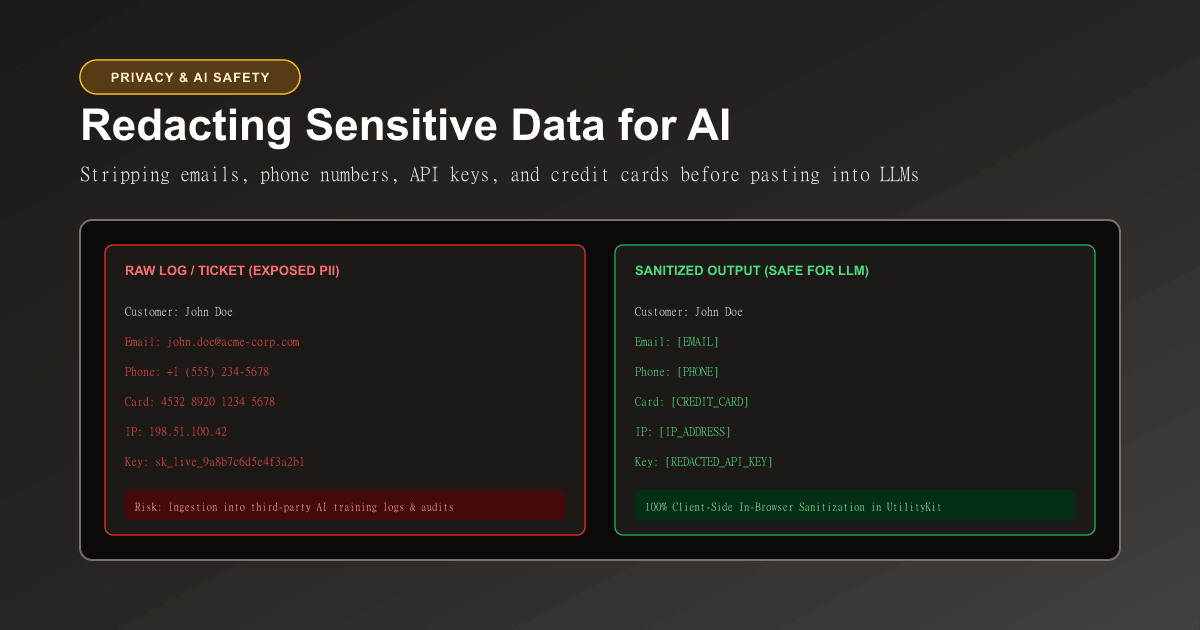
Remove Personal Info from Text
Detect and redact email addresses, phone numbers, SSNs, credit cards, and IPs.
Generative AI models—such as ChatGPT, Claude, and Gemini—have become indispensable daily productivity assistants. Developers use them to diagnose stack traces and refactor legacy code, while support specialists use them to summarize customer tickets and draft empathetic replies.
However, this convenience creates an acute corporate security threat: accidental prompt data leakage.
Every time an engineer pastes an unedited server log containing user IP addresses, an API authorization key, or an email thread into a web chatbot, that sensitive data is transmitted to an external infrastructure provider. Under regulations like GDPR, HIPAA, and SOC 2, transmitting Personally Identifiable Information (PII) to third-party AI endpoints without proper data processing agreements can trigger catastrophic legal and compliance penalties.
To benefit from AI productivity without compromising user privacy, you must sanitize and redact sensitive text before submission.
In this guide, you will learn the primary categories of sensitive data that trigger compliance violations, how token masking preserves AI reasoning, and how to use the free in-browser Personal Info Redactor on UtilityKit.
The AI Prompt Privacy Threat: Where Does Your Data Go?
When you paste text into a third-party AI chat interface or API, what happens to those characters?
- Third-Party Server Logging: Your raw prompt is recorded in remote application logs for billing, abuse monitoring, and latency diagnostics.
- Human Review Pipelines: Major AI vendors employ human annotators who manually review sample transcripts to score model safety and response quality. An employee could view your customer's full name, phone number, and account balance.
- Model Retraining: Unless your organization has an enterprise zero-data-retention agreement, prompt content may be ingested into training corpora, creating the risk that the model later regurgitates fragments of your proprietary code or customer information to other users.
The Golden Rule of Prompt Hygiene: Treat every external AI input field as if it were a public Twitter post or public GitHub issue. If you would not publish the text publicly, redact it before prompting.
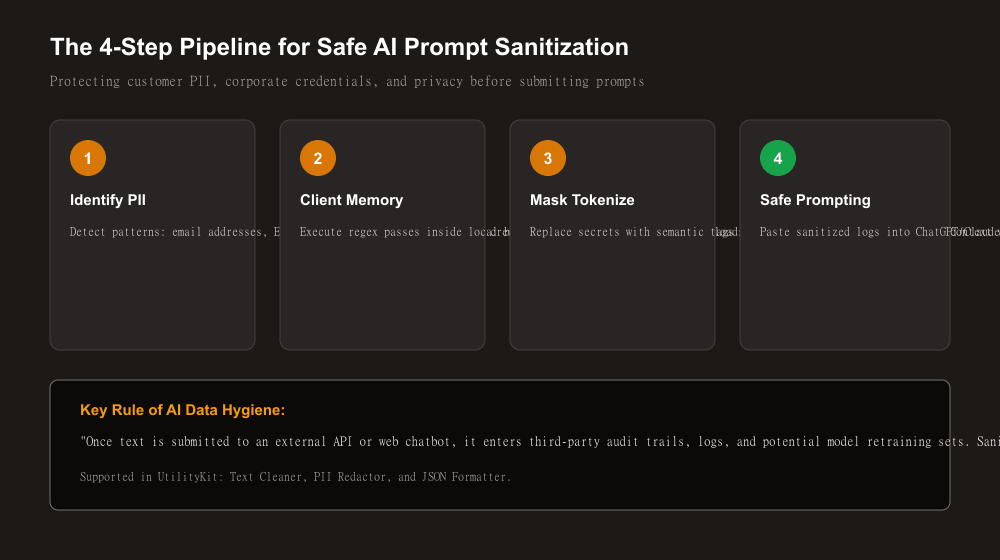
5 Types of PII You Must Scrub from Prompts
1. Email Addresses
- Example:
sarah.jenkins@enterprise-client.com - Pattern: RFC 5322 compliant regex strings matching user and domain boundaries.
- Mask Replacement:
[EMAIL]
2. Telephone Numbers
- Example:
+1 (555) 438-9210or07911 123456 - Pattern: Matches local, national, and international E.164 phone formats.
- Mask Replacement:
[PHONE]
3. Credit Card Primary Account Numbers (PANs)
- Example:
4532 8920 1234 5678(Visa) or3782 822463 10005(Amex) - Validation: UtilityKit does not just match numbers; it computes the Luhn Checksum algorithm (ISO/IEC 7812) to verify genuine payment card formats and prevent false positives on order IDs.
- Mask Replacement:
[CREDIT_CARD]
4. Social Security & National Identification Numbers
- Example:
123-45-6789(US SSN) - Mask Replacement:
[SSN]
5. Network IP Addresses
- Example:
198.51.100.42(IPv4) or2001:0db8:85a3::8a2e:0370:7334(IPv6) - Mask Replacement:
[IP_ADDRESS]
Why Semantic Token Masking Beats Blanket Deletion
When sanitizing text for an AI assistant, how you mask the data matters:
- The Bad Way (Blanket Deletion): If you simply delete sensitive strings, the sentence structure collapses:
Customer contacted us from regarding transaction on card.The AI will get confused by broken grammar and missing subjects.
- The Good Way (Semantic Token Replacement): Replace secrets with descriptive bracketed labels:
Customer [EMAIL] contacted us from [IP_ADDRESS] regarding transaction on card [CREDIT_CARD].Semantic tokens preserve syntactic grammar and contextual intent. The AI model knows that an email address was provided, understands where the user connected from, and can write a complete, grammatically flawless troubleshooting script or customer email template without ever seeing the real personal values!
Step-by-Step: Sanitizing Text in UtilityKit
UtilityKit's Personal Info Redactor is specifically built for zero-trust privacy:
- Paste or Drop Your File: Paste your raw customer ticket, server log, or CSV file into the input box.
- Configure Redaction Flags: Toggle individual detection rules on or off:
- Redact Emails
- Redact Phones
- Redact SSNs
- Redact Credit Cards (Luhn validated)
- Redact IP Addresses
- Choose Your Mask Style:
- Label Mode (`[EMAIL]`): Recommended for AI prompts because it gives the LLM clear semantic context.
- Redacted Mode (`[REDACTED]`): Ideal for formal legal compliance and public records.
- Asterisk Mode (``):* Replaces characters with asterisks for visual censoring.
- Inspect Live Metrics: Review the live scrub count cards to verify exactly how many emails, phone numbers, and card numbers were sanitized.
- Copy Clean Text: Click Copy Sanitized Text and paste it into ChatGPT, Claude, or your ticketing system with complete peace of mind.
100% In-Browser Execution: Zero Server Leakage
Many online "text cleaners" or "redaction tools" send your pasted text to their own remote backend servers for processing. This defeats the entire purpose of privacy: your sensitive customer data is simply exposed to an untrusted web utility instead of the AI company!
In UtilityKit, all parsing and regular-expression scrubbing occurs 100% locally in your web browser's JavaScript memory. No text, logs, or customer files are ever transmitted across the network.
If your copied text also has messy formatting or stray carriage returns, see our companion guide on how to clean text copied from a PDF or website.
Protect Your Users and Comply with Confidence
Never risk exposing customer PII or corporate credentials to external AI training pipelines.
Before submitting your next prompt, paste your text into UtilityKit's free Personal Info Redactor to strip sensitive identifiers instantly and securely.
Frequently Asked Questions
Quick answers to common questions for users and search assistants
Why is pasting unredacted customer logs into AI chatbots dangerous?
Does redacting PII make it harder for an AI model to troubleshoot code or log errors?
How does UtilityKit detect credit card numbers accurately without false positives?
Related Utilities Mentioned in This Guide
Browse directoryRemove Personal Info from Text
Detect and redact email addresses, phone numbers, SSNs, credit cards, and IPs.
Text Cleaner
Remove rogue line breaks, extra spaces, odd characters, and formatting clutter.
Password Generator
Generate strong, unbiased random passwords with customizable length and character sets.
Continue Reading
How Password Entropy and Modulo Bias Affect Password Security
Learn the mathematics of password entropy, why passphrase length beats complex symbols, and how modulo bias undermines random generators.
How to Clean Text Copied from a PDF or Website
Learn how to clean text copied from PDF files and web pages, remove unwanted line breaks, fix double spaces, and preserve intentional paragraph breaks.