How to Explore Deeply Nested JSON with a Collapsible Tree Viewer
Learn how to inspect, search, and navigate complex, multi-level JSON structures using an interactive collapsible tree viewer without text fatigue or accidental syntax edits.
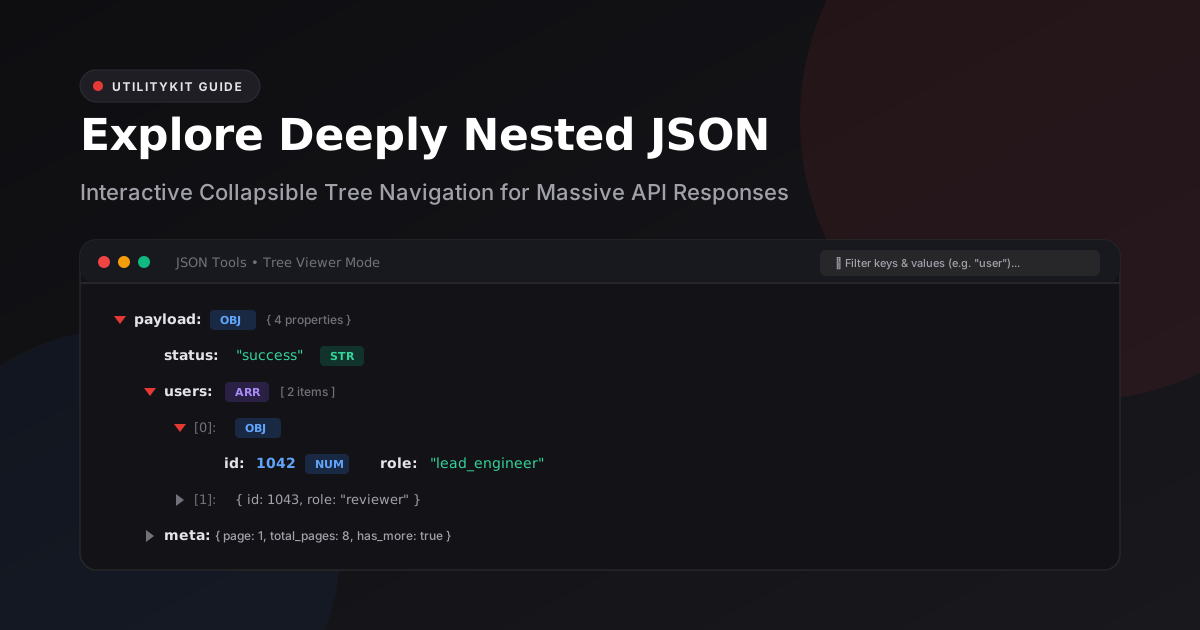
JSON Tools
Format, validate, view in a collapsible interactive tree, and visually edit JSON with draft safety.
When working with modern REST APIs, GraphQL queries, AWS CloudWatch logs, or Kubernetes manifests, JSON payloads routinely span thousands of lines and dozens of nested hierarchy levels.
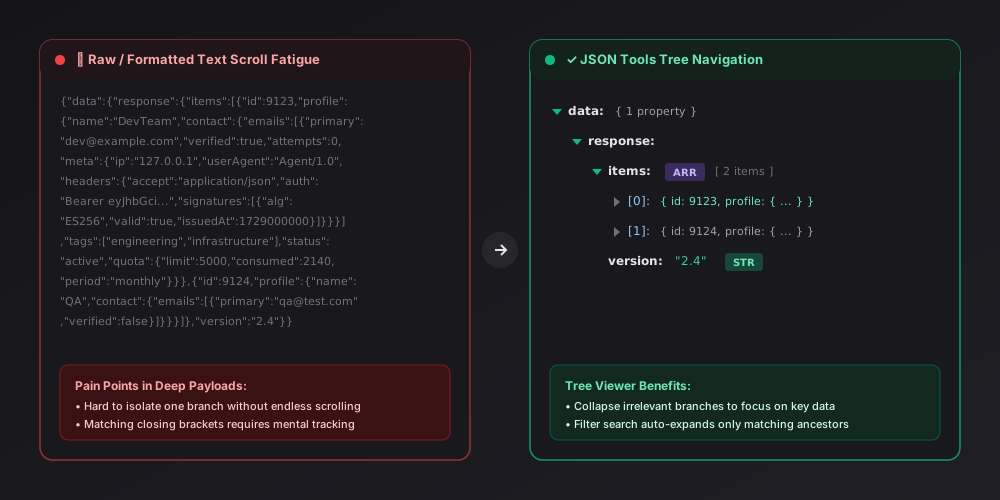
Scrolling through a 20,000-line JSON response in a traditional text editor causes immediate cognitive overload:
- Which closing bracket
}corresponds to which parent object{? - Which element of an array of 500 items contains the failing record?
- How can you verify deeply nested fields without losing your position?
In this guide, you will learn how to master deeply nested JSON using interactive collapsible tree navigation, how search filtering isolates needles in multi-megabyte payloads, and how to inspect structures privately using client-side tools.
The Problem: Wall-of-Text Fatigue vs. Tree Navigation
When an API response returns nested structures—such as users with embedded permissions, billing histories, and metadata arrays—viewing them as formatted text looks like a sheer wall of brackets:
A Real-World Deeply Nested Example
Consider this typical e-commerce order webhook payload:
{
  "event": "order.fulfilled",
  "timestamp": 1729141200,
  "data": {
    "order": {
      "id": "ord_99214",
      "currency": "USD",
      "customer": {
        "id": "cust_412",
        "email": "sarah.dev@example.com",
        "preferences": {
          "notifications": {
            "email": true,
            "sms": false,
            "webhook": null
          }
        }
      },
      "line_items": [
        {
          "sku": "PROD-A10",
          "title": "Ergonomic Mechanical Keyboard",
          "quantity": 1,
          "unit_price": 149.00,
          "discounts": []
        },
        {
          "sku": "PROD-C04",
          "title": "Braided USB-C Cable (2m)",
          "quantity": 2,
          "unit_price": 18.50,
          "discounts": [
            { "code": "BUNDLE10", "amount": 3.70 }
          ]
        }
      ]
    }
  }
}
In raw text, locating the discount code applied to the second item requires scanning through 40+ lines of nested braces. If the order had 50 line items, the raw file would run over 800 lines!
4 Key Techniques for Exploring Complex JSON Trees
Using a dedicated tree viewer like JSON Tools simplifies exploration through four core capabilities:
1. Collapsing Unneeded Branches
Instead of scrolling past massive sibling arrays (such as analytics events or audit logs), collapse them with a single click or keyboard shortcut. You can collapse an entire object containing 1,000 properties into a clean one-line badge:
data.order.line_items [ 50 items ]data.order.customer { 4 properties }
2. Instant Type Visibility with Color Badges
Complex APIs frequently mix data types. A robust tree viewer displays distinct visual markers for each data type:
- String (`STR`): Displayed with quotes and distinct green typography.
- Number (`NUM`): Rendered in clear blue for quick identification of IDs versus counts.
- Boolean (`BOOL`): Highlighted in amber to prevent confusing string
"true"with literaltrue. - Null (`NULL`): Dimmed in italic gray to distinguish empty values from zero or empty strings.
- Containers (`OBJ`, `ARR`): Annotated with accurate item and property counts.
3. Smart Key & Value Search with Ancestor Unrolling
Searching a raw 10,000-line text document often jumps to matches without showing their structural context.
In a smart tree viewer, typing a search term (e.g., BUNDLE10 or email) automatically:
- Highlights the exact matching node.
- Expands all ancestor containers leading to the match.
- Leaves unrelated branches collapsed, maintaining full mental clarity.
4. Handling Root Primitives
Many developers forget that according to RFC 8259, valid JSON is not limited to objects {} and arrays []. A single standalone primitive—such as "status_ok", 42.5, true, or null—is a completely legal JSON document.
A comprehensive tree viewer properly displays root primitives under a designated (root) badge rather than crashing or throwing false syntax errors.
Step-by-Step: Exploring JSON in UtilityKit
You can explore your payloads locally right now using UtilityKit's browser-only JSON Tools:
- Paste or Upload: Open JSON Tools and paste your raw API payload or upload a
.jsonfile. - Switch to Tree Viewer: Click the Tree Viewer tab at the top. The tool will parse your JSON locally inside your browser's V8 engine.
- Use Expand/Collapse Controls: Click Collapse All to get a 30,000-foot view of top-level keys, then expand only the branch you need.
- Search and Copy: Type in the filter bar to isolate specific keys, and click the copy icon on any node to copy its value directly to your clipboard.
Because all processing occurs in memory, confidential API tokens and customer database records are never transmitted to external servers.
Frequently Asked Questions
Quick answers to common questions for users and search assistants
Why is viewing large JSON payloads as raw text so difficult?
How does a collapsible tree view help with deep JSON?
Can I inspect primitive values (like booleans or numbers) at the root level?
Related Utilities Mentioned in This Guide
Browse directoryJSON Tools
Format, validate, view in a collapsible interactive tree, and visually edit JSON with draft safety.
Text Diff Checker
Compare two text snippets side-by-side and highlight additions, deletions, and changes.
Text Cleaner
Remove rogue line breaks, extra spaces, odd characters, and formatting clutter.
Continue Reading
How to Edit a JSON Configuration File Without Breaking Its Structure
Discover how to modify JSON configs, package.json, and app settings safely using draft validation, inline key renaming, and type-safe visual tree editing.
Pretty-Printing vs. Minifying JSON: When and Why to Use Each
Understand the technical tradeoffs between pretty-printing with 2 or 4 spaces and compact single-line minification for API payloads, Git diffs, and database storage.