Remove Duplicate List Values Free in Your Browser
Remove repeated comma-separated values free, without an account. Process the list locally and control case, whitespace, and first-seen order.
CSV & List Duplicate Remover
Deduplicate comma, semicolon, or tab-delimited lists and CSV rows instantly.
For a simple list such as red, blue, red, green, select a comma delimiter and keep the first occurrence of each value. Before copying the result, decide whether Blue and blue should count as the same item.
UtilityKit's free CSV/List Duplicate Remover supports this kind of list cleanup without an account. Despite the name, it is not a full CSV table parser: it does not understand quoted commas, multi-column records, or column-based uniqueness rules.
Keep control of what gets removed
The tool compares values locally in your browser, with no list upload required by its processing workflow. You choose the delimiter, whether case matters, and whether to preserve the first-seen order. The before-and-after counts help explain exactly how much the list changed.
That is useful for a product-code list or a set of project labels where order matters. Processing and export are currently free. Deduplication does not anonymize the retained values, and local processing does not remove the site's hosting or advertising requests. See the privacy policy for that distinction.
Define what counts as a duplicate
Take this input:
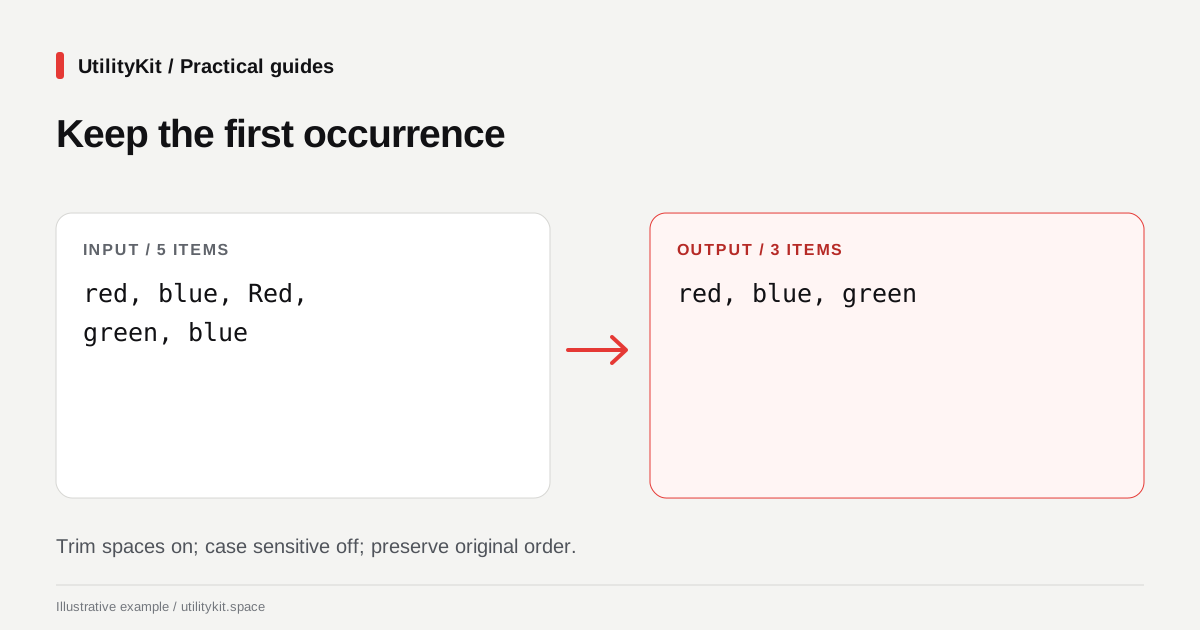
red, blue, Red, green, blueWith Trim whitespace enabled, Case sensitive disabled, and Preserve Original Order selected, the expected result is:
red, blue, greenThere are five input items, three retained items, and two removed duplicates. The first red survives; the later Red does not change its spelling.
Turn Case sensitive on and Red becomes a distinct value. Leave trimming off and the space before a value becomes part of the comparison. Those are different rules, not different levels of cleanup quality.

Use an explicit delimiter
- Paste the list into CSV/List Duplicate Remover.
- Choose Comma (,) rather than relying on auto-detection when you know the separator.
- Enable Trim whitespace if surrounding spaces are formatting noise.
- Set Case sensitive according to the meaning of your values.
- Keep Preserve Original Order unless the destination requires sorting.
- Review the Total, Unique, and Removed counters, then copy or download the output.
Auto-detection chooses a separator based on character frequency. It cannot infer a file's intended structure. For values on separate lines, select Newline (One per line) explicitly; that is especially important if the values themselves contain commas.
Know when a list is actually a table
This record is not a three-item plain list:
"Rabat, Morocco",office-12It contains a quoted field with an internal comma and a second field. Splitting at every comma breaks the quoted value apart. The CSV format described in RFC 4180 includes quoting rules for commas, quotes, and line breaks inside fields.
For an exported customer or inventory table, use a CSV-aware spreadsheet or parser. Define whether a duplicate means the same full row, the same product ID, or a combination of columns. Those are record-level decisions this simple list tool does not perform.
Check empty values and identifier rules
An input such as red,,blue contains an empty item between the commas. The current implementation does not automatically discard empty items; it can retain one empty value after deduplication. Remove unintended empty entries deliberately before using the result.
Do not automatically ignore case for passwords, tokens, or identifiers whose receiving system treats letter case as meaningful. Similarly, two customer names that look alike are not necessarily the same customer. A string comparison cannot resolve identity.
Verify and reuse the cleaned list
For the color example, confirm that the output has three values and still contains the first-seen spellings. For longer lists, inspect a few duplicates you expected to remove and several values you expected to keep.
If you need one value per line next, follow the join-and-split guide. If the original is already a line list, duplicate-line removal may be the more direct starting point.
Last reviewed: October 28, 2026. Examples cover simple delimited values, not full CSV records.
Frequently Asked Questions
Quick answers to common questions for users and search assistants
Can this tool deduplicate rows in a spreadsheet CSV export?
Which spelling survives when case-sensitive matching is off?
Related Utilities Mentioned in This Guide
Browse directoryCSV & List Duplicate Remover
Deduplicate comma, semicolon, or tab-delimited lists and CSV rows instantly.
Duplicate Line Remover
Deduplicate lists, emails, keywords, and CSV rows with instant count metrics.
Join and Split Lines
Join lines with custom delimiters, or split text into lines by character or separator.
Continue Reading
Join Lines with Commas Free, Without Creating an Account
Turn a column into a comma-separated list free in your browser. Choose separators, keep meaningful blanks, and inspect the result without an account.
Sort Numbered File Lists Free: Get the Order 1, 2, 10
Sort filenames and numbered labels free in your browser. Choose natural order, add numbering, and copy the result without an account or file uploads.