Escaping Quotes, Backslashes, and Unicode in JSON Strings
Master JSON string escape sequences under RFC 8259: handle Windows file paths, embedded quotation marks, control characters, and Unicode surrogate pairs without syntax errors.
JSON Tools
Format, validate, view in a collapsible interactive tree, and visually edit JSON with draft safety.
If you have ever stored Windows file paths, regex patterns, or customer quotes inside a JSON document, you have likely encountered the infamous parse error:
SyntaxError: Bad escaped character in JSON at position 48Because JSON uses the double quote (") as its string delimiter and the backslash (\) as an escape prefix, handling raw text strings requires strict adherence to RFC 8259 Section 7.
In this guide, you will learn the eight official JSON escape sequences, diagnose the three most common escaping blunders, understand Unicode surrogate pairs, and clean up messy text strings safely.
The 8 Official JSON Escape Sequences
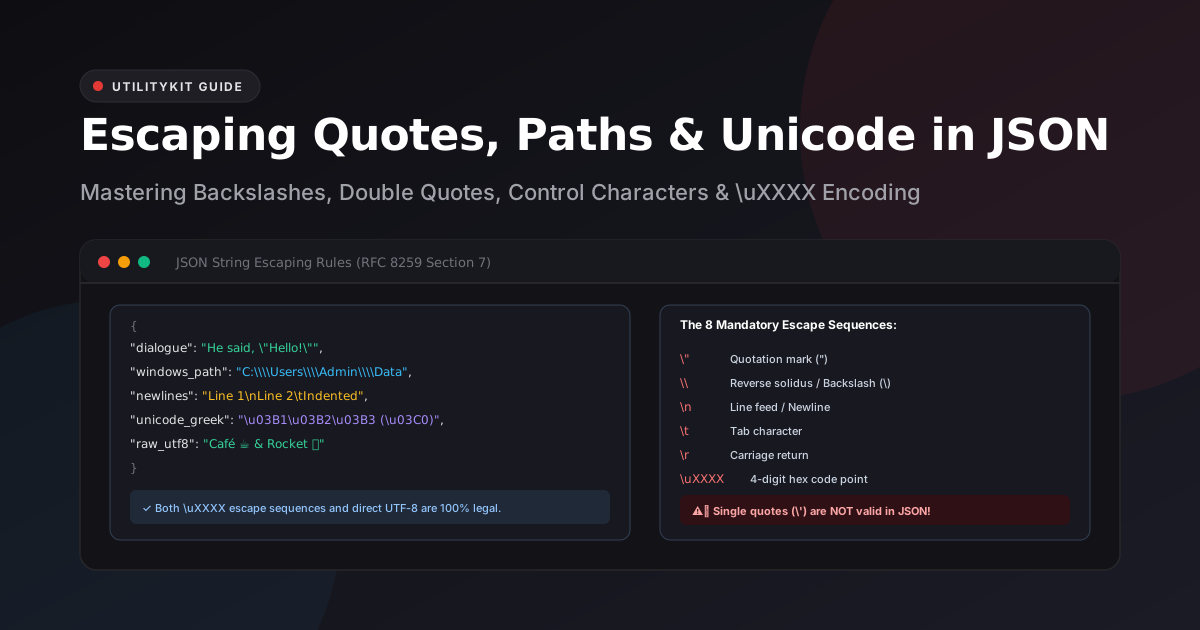
Under the RFC 8259 standard, any character in a string may be escaped, but only eight special sequences are recognized:
| Escape Sequence | Character Represented | Common Use Case |
\" | Double quotation mark (") | Quotes inside quotes |
\\ | Reverse solidus / Backslash (\) | File paths, regular expressions |
\/ | Solidus / Forward slash (/) | Optional escape for HTML closing tags (<\/script>) |
\n | Line feed / Newline | Multi-line text paragraphs |
\r | Carriage return | Windows CRLF line endings |
\t | Horizontal tab | Tabular text alignment |
\b | Backspace | Terminal control sequences |
\f | Form feed | Printer / page break control |
\uXXXX | 4-digit hexadecimal Unicode code point | Non-ASCII characters (e.g., \u00A9 for ©) |
[!WARNING] In JavaScript or Python, writing\'is valid to escape single quotes. In JSON,\'is an illegal sequence that triggers an immediate parser failure.
The 3 Most Common Escaping Pitfalls
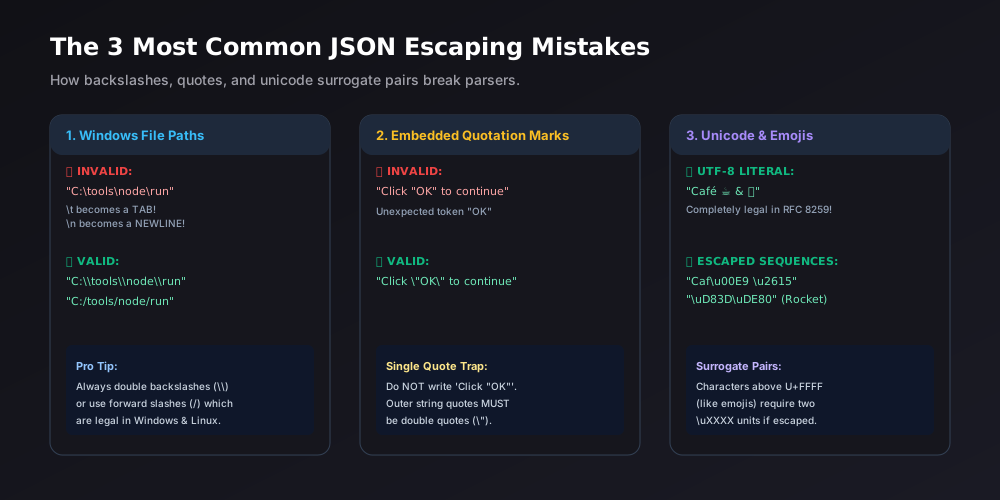
1. The Windows File Path Disaster
Windows filesystem paths use backslashes (\). When copied into JSON, unintended escape sequences are created:
// ❌ BROKEN: \t turns into a tab, \n turns into a newline!
{
  "install_dir": "C:\tools\new_project\build"
}
When parsed, C:\tools becomes C:[TAB]ools, and \new becomes [NEWLINE]ew!
The Fix:
Always escape backslashes with a double backslash (\\), or use forward slashes (/), which modern Windows APIs support natively:
// ✅ CORRECT:
{
  "install_dir_escaped": "C:\\tools\\new_project\\build",
  "install_dir_forward": "C:/tools/new_project/build"
}
2. Embedded Quotes in Strings
When storing text that contains dialogue, quotations, or HTML attributes, raw inner quotes prematurely close the string:
// ❌ BROKEN: Inner quotes break the parser
{
  "announcement": "We are proud to introduce our "SuperFast" engine."
}
The Fix:
Prefix all inner double quotes with a backslash:
// ✅ CORRECT:
{
  "announcement": "We are proud to introduce our \"SuperFast\" engine."
}
3. Unicode and Emojis: UTF-8 vs. `\uXXXX`
Many developers wonder whether they need to encode accents and emojis into cryptic hex codes like \u00E9 or \u00A9.
The Answer: In modern RFC 8259 JSON, direct UTF-8 characters are 100% legal:
// ✅ Both of these represent the exact same data:
{
  "utf8_literal": "Café ☕ & Rocket 🚀",
  "escaped_hex": "Caf\u00E9 \u2615 & Rocket (U+1F680)"
}
Understanding Surrogate Pairs for Emojis
Characters in the Basic Multilingual Plane (like accented letters and standard symbols) can be represented by a single 4-digit hexadecimal code point such as \u00E9 (é) or \u2615 (☕).
Characters above code point U+FFFF (such as modern emojis like 🚀 or rare historical scripts) require two 16-bit surrogate code units: a high surrogate (in range U+D800 through U+DBFF) and a low surrogate (in range U+DC00 through U+DFFF). When writing JSON manually, keeping UTF-8 literals directly in quotes ("🚀") is vastly simpler and avoids surrogate pair errors.
Validating Escaped Strings in UtilityKit
If you receive a mangled JSON payload from a legacy API or log export, identifying invalid escape sequences by eye is nearly impossible.
Using UtilityKit's JSON Tools:
- Paste your JSON into the Format & Validate editor.
- If an invalid escape sequence (like
C:\Usersor\') exists, the tool flags the exact line and column number. - Switch to the Visual Editor tab: edit the string value directly in the input box. The editor automatically applies proper backslash escapes when generating the output.
- Copy the sanitized, fully RFC-compliant JSON with one click.
Frequently Asked Questions
Quick answers to common questions for users and search assistants
Why does my Windows file path like 'C:\\tools\\new' trigger a JSON error?
Are emojis allowed directly inside JSON strings?
Can I escape single quotes with \\' in JSON?
Related Utilities Mentioned in This Guide
Browse directoryJSON Tools
Format, validate, view in a collapsible interactive tree, and visually edit JSON with draft safety.
Text Cleaner
Remove rogue line breaks, extra spaces, odd characters, and formatting clutter.
Text Diff Checker
Compare two text snippets side-by-side and highlight additions, deletions, and changes.
Continue Reading
How to Edit a JSON Configuration File Without Breaking Its Structure
Discover how to modify JSON configs, package.json, and app settings safely using draft validation, inline key renaming, and type-safe visual tree editing.
JSON Objects, Arrays, and Value Types Explained with Real Examples
Master the 6 official JSON data types under RFC 8259: objects, arrays, strings, numbers, booleans, and null, and understand why undefined and functions are forbidden.