QR Code Error Correction and Payload Formats Explained
Learn how Reed-Solomon error correction keeps damaged QR codes readable, how to format Wi-Fi, vCard, and URL payloads, and scan-reliability rules.
QR Code Generator
Create individual or bulk QR codes and download PNG, SVG, or a ZIP archive.
Invented in 1994 by Masahiro Hara at the Japanese automotive supplier Denso Wave, Quick Response (QR) codes were originally designed to track car components moving along high-speed manufacturing conveyor belts.
Today, QR codes have transformed into the primary physical-to-digital bridge for restaurant menus, event ticketing, contact sharing, frictionless Wi-Fi authentication, and contactless payments.
Yet many designers and marketers encounter scanning failures: codes that refuse to scan in low light, codes that fail after adding a custom logo, or Wi-Fi codes that open a meaningless Google search instead of connecting to the router.
In this guide, you will learn the physical anatomy of 2D barcodes, how Reed-Solomon error correction prevents scan failures, the standardized string schemas for common payloads, and how to generate high-resolution codes using the UtilityKit QR Code Generator.
Anatomy of a 2D QR Matrix
Unlike traditional 1D UPC barcodes that store data in a single horizontal axis (typically limited to 20 alphanumeric characters), a QR code stores data both horizontally and vertically. This enables a single matrix to hold up to 7,089 numeric characters or 4,296 alphanumeric characters.
Every compliant QR code contains six fundamental geometric structures:
- Position Detection Patterns (Finder Eyes): The three large concentric squares situated in the top-left, top-right, and bottom-left corners. They allow scanner cameras to identify the orientation, rotation angle, and perspective distortion of the code from any angle ($360^{\circ}$).
- Alignment Patterns: Smaller concentric squares embedded in larger QR versions to compensate for paper curvature, folds, or lens distortion.
- Timing Patterns: Alternating black and white modules connecting the finder eyes. They establish the coordinate grid lines and determine the version size (from Version 1 at 21×21 modules up to Version 40 at 177×177 modules).
- Format Information: Modules flanking the finder eyes that encode the error correction level and the data mask pattern.
- Quiet Zone: An uninterrupted white border surrounding the entire matrix. Standard specifications require a margin at least 4 modules wide. Eliminating this border causes camera edge detectors to fail.
- Data and Error Correction Codewords: The interior payload area containing both your original data and Reed-Solomon parity codewords.
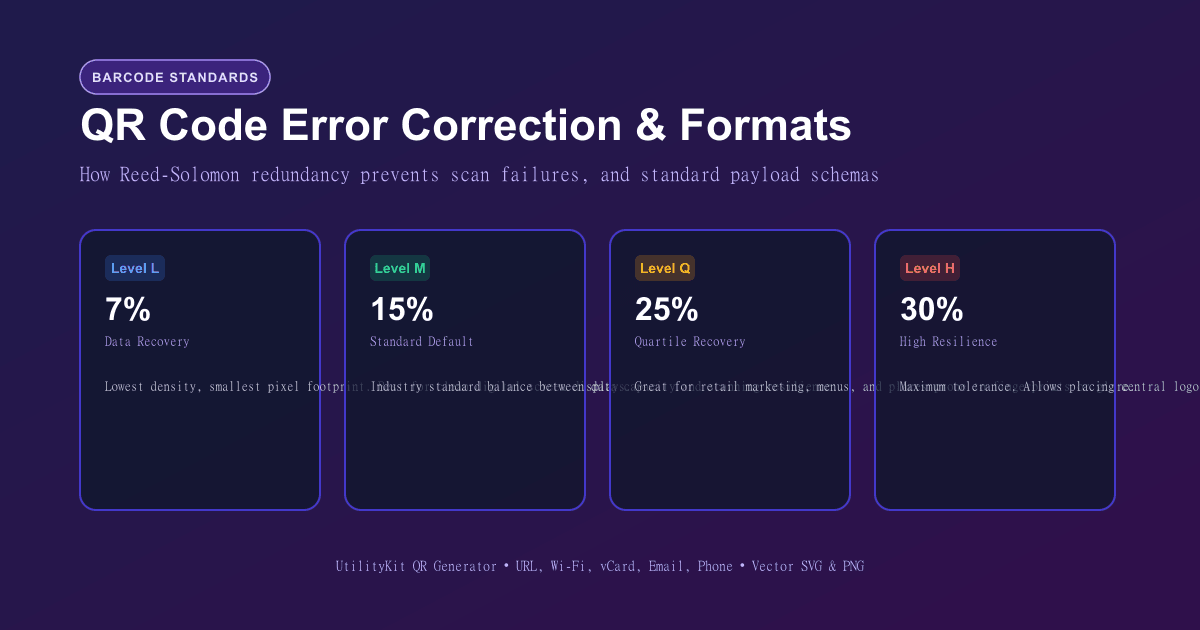
Reed-Solomon Error Correction Levels Explained
The secret behind the resilience of QR codes is Reed-Solomon algebraic error correction—the same mathematics NASA used to transmit telemetry from Voyager probes across interplanetary space and that CDs use to play over physical scratches.
The QR standard defines four distinct error correction levels:
| Level | Error Recovery Capacity | Codeword Redundancy | Recommended Use Case |
| Level L (Low) | ~7% of damaged bytes restored | Lowest redundancy | High-density data, clean digital displays, e-tickets on screens. |
| Level M (Medium) | ~15% of damaged bytes restored | Standard balance | Default choice for 90% of use cases: Flyers, brochures, business cards. |
| Level Q (Quartile) | ~25% of damaged bytes restored | High redundancy | Industrial warehouse labels, factory tracking, moist environments. |
| Level H (High) | ~30% of damaged bytes restored | Maximum redundancy | Branded QR codes with centered logos, outdoor billboards, floor stickers. |
The Trade-off: Density vs Durability
As error correction rises from Level L to Level H, the barcode generator must inject more parity modules into the matrix.
- Higher levels produce a denser, more intricate grid of smaller dots.
- For a given print size, smaller dots require the scanner to be held closer to resolve individual pixels.
- If you intend to overlay a company logo over the center of the code, always use Level H so the obscured 20–25% of the central matrix can be mathematically reconstructed.
Standardized Payload Formats
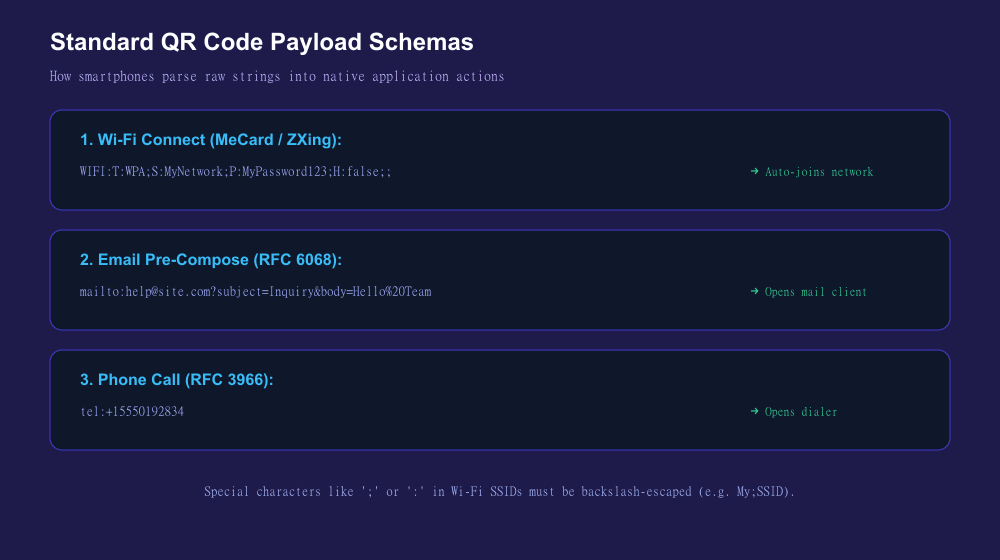
A QR code is ultimately just an encoded text string. To make a smartphone take a specific native action (such as saving a contact or joining a Wi-Fi network), the string must follow standardized URI schemes:
1. Web URLs
Always include the explicit protocol (https://). Omitting the protocol may cause older devices to treat the URL as raw plain text instead of opening the default browser.
https://utilitykit.space/tools/qr-code-generator2. Wi-Fi Auto-Connection
When parsed by iOS Camera or Google Lens, this schema presents a one-tap "Join Network" button without exposing the password in plain text:
WIFI:S:OfficeGuestNetwork;T:WPA;P:SuperSecretPass123;H:false;;S:SSID (network name)T:Authentication type (WPA,WEP, ornopass)P:Network passwordH:Set totrueif the SSID broadcast is hidden
3. Contact Cards (MeCard & vCard)
The compact MeCard standard is optimized for QR codes because it requires significantly fewer characters than full vCard 3.0 schemas:
MECARD:N:Doe,Jane;TEL:+15550192834;EMAIL:jane@example.com;URL:https://utilitykit.space;;4. Direct Email Triggers
mailto:support@utilitykit.space?subject=Inquiry&body=Hello%20Team5. Direct Phone Calls & SMS
tel:+15550192834
smsto:+15550192834:I am interested in your services
4 Rules for Flawless Scannability
- Maintain the 10:1 Distance-to-Size Ratio:
A good rule of thumb for print materials is that the scanning distance should not exceed 10 times the width of the QR code. If a poster is viewed from $1\text{ meter}$ ($100\text{ cm}$), the QR code should be at least $10\text{ cm} \times 10\text{ cm}$. For handheld flyers scanned at $20\text{ cm}$, a minimum size of $2\text{ cm} \times 2\text{ cm}$ ($0.8\text{ in}$) is recommended.
- Ensure High Visual Contrast:
Always print dark modules on a light background. While inverted QR codes (white dots on a black background) look stylish in dark-mode themes, many legacy camera sensors and budget smartphone cameras fail to decode them.
- Respect the Quiet Zone:
Never crop artwork directly to the outer edge of the corner squares. Always preserve a blank border of at least 4 modules width around the entire perimeter.
- Test Before Mass Printing:
Always test your physical printed proof under different lighting conditions and with both iOS and Android camera apps before sending thousands of copies to print.
Generate Crisp QR Codes with UtilityKit
Need a custom QR code for your website, Wi-Fi router, or business card? Use the free QR Code Generator on UtilityKit.
Our tool lets you configure error correction levels, input custom colors, preview your code in real time, and download high-resolution PNG raster graphics ready for print and digital publishing.
Frequently Asked Questions
Quick answers to common questions for users and search assistants
How does a QR code work if it is partially torn, dirty, or has a logo in the center?
Which error correction level should I choose?
What is the proper format for a Wi-Fi QR code?
Related Utilities Mentioned in This Guide
Browse directoryQR Code Generator
Create individual or bulk QR codes and download PNG, SVG, or a ZIP archive.
Base64 Encoder & Decoder
Encode and decode Unicode text, UTF-8 strings, and files to and from Base64 format.
Unit Converter
Convert length, mass, temperature, area, speed, and volume units instantly with precision.
Continue Reading
Base64 Encoding vs Encryption: Why Obfuscation Is Not Security
Understand the mathematical difference between Base64 data representation and cryptographic encryption, how 6-bit grouping works, and how to encode safely.
How Password Entropy and Modulo Bias Affect Password Security
Learn the mathematics of password entropy, why passphrase length beats complex symbols, and how modulo bias undermines random generators.